In this article
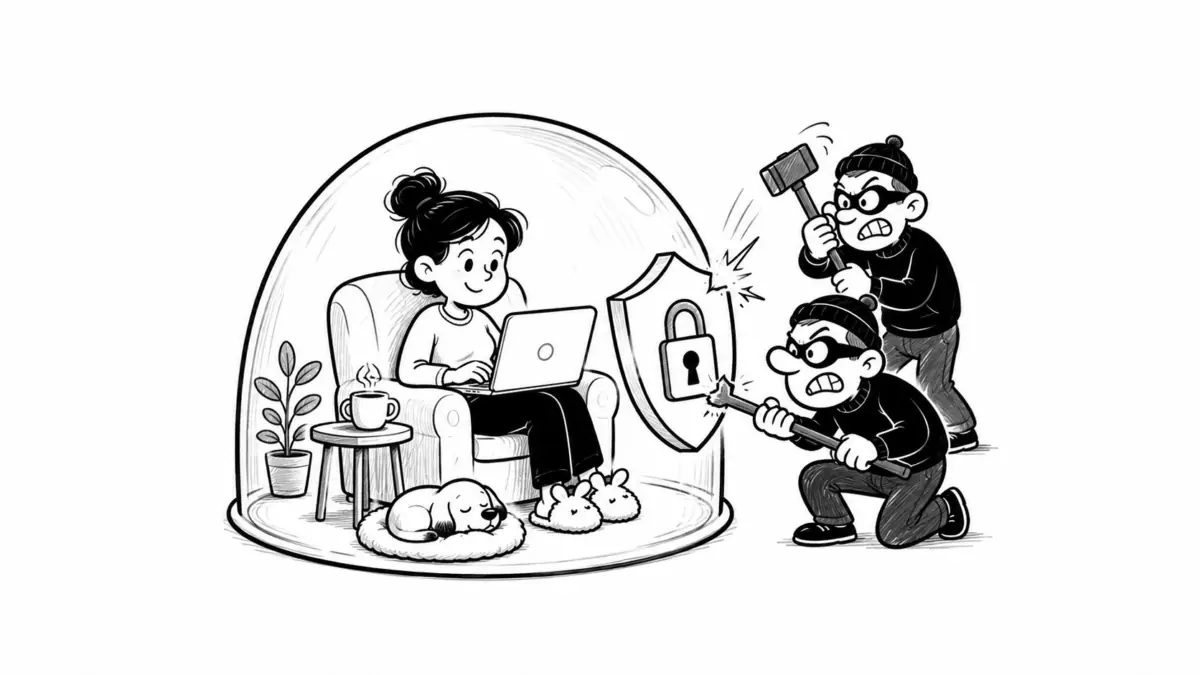
Remote work changes where employees connect from, which devices they use, and how company data moves. It should not change the security standard applied to that data.
The practical problem is that the traditional office perimeter is no longer a useful trust boundary. Employees may connect from home networks, coworking spaces, hotels, mobile hotspots, and multiple countries. Company applications may live across SaaS platforms and several cloud providers rather than inside one corporate network.
A remote-work security program therefore needs to answer specific questions:
- Who is requesting access?
- Is the account strongly authenticated?
- Is the device known and compliant?
- Which application and data does the user actually need?
- Can sensitive information leave approved systems?
- Will suspicious activity be detected?
- What happens when a device, account, or session is compromised?
The goal is not to make employees prove that their home Wi-Fi is trustworthy. The goal is to design access so that the organization does not need to trust the network in the first place.
Start With a Security Baseline, Not a List of Remote-Work Tips
A useful starting point is the NIST Cybersecurity Framework 2.0. It organizes cybersecurity risk management around six functions: Govern, Identify, Protect, Detect, Respond, and Recover.
For a distributed company, those functions can be translated into concrete responsibilities:
| NIST CSF function | Remote-work application |
|---|---|
| Govern | Define security owners, acceptable-use rules, vendor requirements, data-handling policies, and risk tolerance. |
| Identify | Know which employees, contractors, devices, applications, accounts, and data stores exist. |
| Protect | Apply MFA, endpoint management, encryption, least privilege, secure access, backups, and DLP. |
| Detect | Monitor identity, endpoint, SaaS, network, and cloud activity for suspicious behavior. |
| Respond | Contain compromised accounts and devices, investigate incidents, preserve evidence, and communicate. |
| Recover | Restore services and data, rotate exposed credentials, validate systems, and improve controls after the incident. |
This is more useful than treating remote-work security as a separate collection of VPN, antivirus, and password rules.
1. Require MFA Everywhere That Matters
A password should not be enough to access corporate email, cloud storage, source code, HR systems, finance systems, administrative consoles, or remote-access infrastructure.
CISA recommends multi-factor authentication and encourages organizations to move toward phishing-resistant authentication such as FIDO/WebAuthn.
The current NIST SP 800-63 Revision 4 Digital Identity Guidelines, finalized in 2025, also place greater emphasis on stronger authentication. NIST requires phishing-resistant authentication for federal staff, contractors, and partners accessing federal information systems and recommends offering phishing-resistant options at higher authentication assurance levels.
For most companies, the practical priority should be:
- Require MFA for every employee account.
- Require stronger MFA for administrators and other privileged users.
- Prefer passkeys, FIDO2 security keys, or other phishing-resistant authenticators.
- Avoid relying on SMS where stronger methods are practical.
- Reduce dependence on push-only authentication that can be abused through repeated MFA prompts.
- Require step-up authentication for sensitive actions such as changing banking information, resetting MFA, exporting large datasets, or adding administrators.
Do Not Ignore Account Recovery
MFA can be bypassed operationally if an attacker can simply persuade the help desk to reset it.
The CISA advisory on Scattered Spider documents attackers using social engineering to persuade IT help-desk personnel to reset passwords or MFA tokens.
A remote employee calling from an unfamiliar number should therefore not be able to obtain a privileged password reset based only on information such as name, job title, manager, or date of birth.
For higher-risk accounts, recovery procedures can require combinations such as:
- a previously enrolled authentication method;
- identity verification through an approved workflow;
- manager confirmation through a separate channel;
- temporary access with limited privileges;
- additional review for administrator-account resets.
A Real Lesson: Change Healthcare and Missing MFA
The 2024 Change Healthcare attack is a useful example of why MFA coverage must be complete rather than “mostly deployed.”
During congressional testimony, UnitedHealth Group CEO Andrew Witty acknowledged that the compromised system did not have MFA enabled. The U.S. House Energy and Commerce Committee subsequently highlighted the missing MFA control as a major security failure associated with the incident.
The lesson for a distributed company is not simply “turn on MFA.”
Maintain an inventory showing exactly which systems require it, then test for exceptions. A forgotten legacy VPN, contractor portal, service console, or recently acquired system can become the weakest path into the environment.
2. Manage the Device, Not Just the Employee Account
An authenticated employee can still be connecting from a compromised laptop.
Organizations should establish a minimum device-security baseline for systems that access company data. For company-owned laptops, this normally means centralized endpoint management rather than asking employees to configure security themselves.
NIST SP 800-124 Revision 2 provides guidance on managing security for mobile devices in enterprise environments.
A practical managed-device baseline should include:
- full-disk encryption;
- automatic screen locking;
- current operating system versions;
- automatic security updates;
- endpoint detection and response where appropriate;
- malware protection;
- centrally managed security configuration;
- inventory and device ownership records;
- restricted local administrator privileges;
- managed browsers for corporate applications;
- remote lock or wipe capability;
- USB and removable-media controls where sensitive data justifies them.
Define a Patch SLA
“Keep software updated” is not a measurable policy.
A company can instead define a patching standard such as:
| Risk level | Example response target |
|---|---|
| Actively exploited critical vulnerability | Emergency remediation as soon as practical, commonly within hours or days |
| Critical vulnerability | Within a defined short window such as 7 days |
| High severity | Within 14–30 days depending on exposure |
| Routine security updates | Normal scheduled patch cycle |
The exact deadlines should reflect the organization’s risk profile, but somebody must own them and compliance must be measurable.
3. Be Explicit About BYOD
Bring-your-own-device policies create a difficult tradeoff: employees own the hardware, while the company remains responsible for protecting its systems and data.
A useful BYOD policy should specify which applications and data classes personal devices may access.
For example:
| Data or activity | Example BYOD policy |
|---|---|
| Public company information | May be accessed from personal devices. |
| Internal email and collaboration | Allowed only through managed applications or browser sessions with MFA. |
| Customer personal data | Access restricted to managed devices or a controlled virtual workspace. |
| Production infrastructure | Company-managed device required. |
| Source code and credentials | Company-managed device required, with additional access controls. |
| Highly regulated or restricted data | No local storage on unmanaged devices. |
If BYOD is permitted, consider technologies that separate corporate information from personal content so that security teams can remove company data without wiping an employee’s private photos, messages, and applications.
A Real Lesson: Okta and Personal Accounts on a Managed Laptop
Okta’s 2023 support-system incident provides a particularly relevant lesson for remote and hybrid employees.
According to Okta’s root-cause analysis, an employee had signed into a personal Google profile in Chrome on an Okta-managed laptop. Credentials for a service account were saved into that personal Google account. Okta said the most likely avenue of exposure was compromise of the employee’s personal Google account or personal device.
The incident demonstrates why “company-owned laptop” alone is not a sufficient control.
Organizations can reduce similar risks by:
- separating work and personal browser profiles;
- using managed browsers;
- preventing privileged credentials from being stored in consumer password sync;
- using dedicated enterprise password or secrets-management systems;
- restricting service-account permissions;
- monitoring privileged credential use;
- avoiding shared credentials wherever possible.
4. Use VPNs Where They Solve a Problem, but Do Not Confuse VPN With Zero Trust
A VPN creates an encrypted connection between a device and a network endpoint. It remains useful for legacy internal applications, administrative access, IP-based restrictions, and some forms of traffic protection.
But a VPN does not establish that the user is trustworthy, the device is healthy, or every system behind the VPN should be accessible.
NIST SP 800-207, Zero Trust Architecture, describes a different model: access decisions should focus on users, devices, resources, and policies rather than assuming trust because something is inside a particular network perimeter.
| Traditional VPN-oriented approach | Zero Trust-oriented approach |
|---|---|
| User connects to corporate network | User requests access to a specific resource |
| Network location may imply trust | Network location does not establish trust |
| Large internal network segments may become reachable | Access is limited according to identity, device, application, and policy |
| VPN authentication happens primarily at connection time | Access can be continually reevaluated |
| Often designed around a corporate data center | Better aligned with SaaS, cloud applications, remote users, and BYOD |
This does not mean companies must remove every VPN. A realistic migration can use both.
For example, SaaS applications may use SSO, MFA, managed-device checks, and identity-aware access, while a legacy accounting server continues to require VPN access until it can be modernized.
5. Apply Least Privilege to Remote Access
Remote employees should not receive permanent access to systems simply because they might eventually need them.
Access should be based on job role and reviewed when that role changes.
For sensitive systems, consider:
- role-based or attribute-based access;
- separate administrator accounts;
- just-in-time privileged access;
- time-limited contractor permissions;
- approval for production access;
- session logging for privileged administration;
- automatic removal of inactive accounts;
- immediate deprovisioning during employee offboarding.
A marketing employee who needs access to a CRM does not normally need access to raw production databases. A developer who deploys an application does not necessarily need unrestricted access to customer records.
6. Treat DLP as Data Control, Not Employee Surveillance
Data Loss Prevention, or DLP, is intended to reduce unauthorized movement of sensitive information.
CISA and partner agencies have recommended DLP controls in guidance addressing unauthorized data access and exfiltration.
A useful DLP program starts by classifying information.
| Example classification | Examples | Possible controls |
|---|---|---|
| Public | Published articles, public job listings, marketing materials | Minimal restrictions |
| Internal | Internal documentation, normal company communications | Approved company systems; external sharing limited |
| Confidential | Contracts, customer records, employee records, financial information | Encryption, controlled sharing, managed devices, logging |
| Restricted | Passwords, private keys, highly sensitive personal data, production secrets | Strong access restrictions, no personal storage, additional monitoring, limited export |
DLP rules can then respond to specific behavior. Examples include:
- blocking uploads of confidential files to personal cloud-storage accounts;
- warning when an employee emails sensitive information outside the company;
- preventing source code from being copied to unmanaged services;
- detecting large exports from customer databases;
- restricting printing or clipboard use in highly sensitive environments;
- preventing secrets such as API keys from being shared through approved collaboration tools.
DLP should be proportional. Blocking every copy-and-paste action can make legitimate work difficult and encourage employees to find workarounds.
Organizations should also be transparent about employee monitoring. Privacy, employment, and works-council requirements can vary significantly by jurisdiction.
7. Keep Sensitive Data Out of Personal Accounts
A remote-work policy should explicitly prohibit forwarding company documents to personal email, uploading them to personal cloud storage, or pasting sensitive information into unapproved online services.
This has become even more important as employees use AI assistants and browser-based productivity tools.
Companies should define which categories of information may be entered into:
- consumer AI services;
- enterprise AI services;
- translation tools;
- personal email;
- personal cloud storage;
- external file-transfer services;
- browser extensions.
The safe answer does not have to be “ban everything.” Employees need approved alternatives that allow them to perform their jobs without creating shadow IT.
8. Protect Privileged Remote Employees More Aggressively
Not every remote laptop represents the same risk.
A recruiter with access to applicant information is important. A DevOps engineer with production secrets, cloud-administrator permissions, and backup access creates a different potential blast radius.
Higher-risk users may require:
- dedicated managed hardware;
- phishing-resistant MFA;
- no local administrator rights for daily work;
- separate privileged accounts;
- privileged access management;
- stricter application allowlists;
- enhanced endpoint detection;
- restricted browser extensions;
- more aggressive patching;
- additional logging and anomaly detection.
A Real Lesson: LastPass and a Privileged Endpoint
LastPass disclosed in 2023 that an attacker targeted a senior DevOps engineer using vulnerable third-party software. According to the company’s incident report, malware was used to bypass existing controls and the attacker ultimately obtained unauthorized access to cloud backups containing configuration information, secrets, customer metadata, and encrypted customer vault data.
LastPass subsequently changed privileged access controls, rotated secrets and certificates, and added security controls.
The lesson is broader than the particular vulnerability: privileged employee endpoints need controls proportionate to the systems and secrets those employees can reach.
9. Secure SaaS Sessions, Not Only Passwords
Modern remote-work attacks do not always require stealing a password.
Attackers may steal browser cookies or session tokens that represent an already-authenticated session.
The same 2023 Okta incident involved HAR files containing session tokens. Okta reported that attackers were able to use stolen session tokens to hijack legitimate sessions belonging to several customers.
Controls against session theft can include:
- shorter session lifetimes for privileged applications;
- reauthentication for sensitive operations;
- device-bound or phishing-resistant authentication where supported;
- location and risk-based access policies;
- rapid revocation of sessions during incidents;
- monitoring for impossible travel and unusual session behavior;
- careful handling of diagnostic files that may contain credentials or tokens.
10. Assume a Remote Device Will Eventually Be Lost or Stolen
A laptop disappearing from an airport, taxi, hotel, or coworking space should be an operational scenario the company has already planned for.
At minimum:
- require full-disk encryption;
- automatically lock inactive devices;
- avoid storing unnecessary restricted information locally;
- maintain device inventory;
- support remote lock or wipe where practical;
- revoke active sessions when a device is reported lost;
- rotate locally stored credentials if exposure is possible;
- provide employees with a simple, 24/7 reporting route for high-risk incidents.
Example Remote Employee Security Policy
The following is an example rather than a universal legal policy. It should be adapted to the organization’s systems, industry, workforce, and jurisdictions.
Device use: Employees must use company-managed devices when accessing confidential or restricted company information unless an approved BYOD exception applies.
Authentication: MFA is required for company accounts. Employees must not approve unexpected authentication prompts or share authentication codes.
Data storage: Company information must be stored only in approved company systems. Confidential information must not be forwarded to personal email accounts or uploaded to personal cloud-storage services.
Software: Employees must not disable endpoint security, encryption, patching, or device-management software installed by the company.
Public networks: Employees may use public Wi-Fi only through company-approved access controls. Sensitive work should not rely on unknown shared computers or public terminals.
Account separation: Corporate credentials and restricted data must not be stored in personal browser profiles, personal password managers, or consumer synchronization accounts.
Physical privacy: Employees handling confidential information must take reasonable steps to prevent unauthorized people from viewing screens, documents, or conversations.
Incident reporting: Lost devices, unexpected MFA prompts, suspected phishing, malware warnings, accidental data disclosures, and unusual account activity must be reported immediately through the designated security channel.
Offboarding: Company devices and data must be returned or removed according to company instructions when employment or contract access ends.
11. Build an Incident Response Process Before an Incident Happens
An employee noticing a suspicious login at 2 a.m. should not have to search an employee handbook to discover whom to contact.
In 2025, NIST replaced its previous incident-handling publication with NIST SP 800-61 Revision 3, Incident Response Recommendations and Considerations for Cybersecurity Risk Management.
The updated guidance integrates incident response into the broader NIST CSF 2.0 model rather than treating response as an isolated security activity.
What Employees Should Do
Remote employees need simple instructions, not a forensic manual.
For example:
- Report the incident immediately through the designated channel.
- If malware is suspected, disconnect the device from networks when instructed or when continued connectivity presents an obvious risk.
- Do not delete files, wipe the device, reinstall the operating system, or destroy evidence unless instructed.
- Do not continue approving MFA prompts.
- Do not contact an attacker or pay a ransom independently.
- Provide relevant screenshots, messages, filenames, times, and URLs to the response team.
What the Security Team Should Be Ready to Do
- disable or restrict compromised accounts;
- revoke sessions and tokens;
- isolate endpoints using EDR or device-management tooling;
- preserve relevant logs and evidence;
- identify what systems and information were accessed;
- rotate passwords, API keys, certificates, and other secrets where necessary;
- search for the same indicators on other devices and accounts;
- restore systems from validated backups;
- coordinate legal, privacy, communications, insurance, and executive responses;
- document lessons learned and control improvements.
Have an Incident Severity Matrix
| Example event | Possible severity | Initial action |
|---|---|---|
| Suspicious phishing email not opened | Low | Report and analyze campaign |
| Employee entered a password into a phishing site | High | Reset credentials, revoke sessions, inspect endpoint and account activity |
| Unexpected MFA prompts | High | Block authentication attempt, investigate credentials and sessions |
| Lost encrypted managed laptop | Medium to high | Lock device, revoke sessions, assess stored data |
| Customer database exported by unknown account | Critical | Contain access, preserve evidence, determine data scope, activate breach response |
| Ransomware on privileged device | Critical | Isolate device and related infrastructure, activate incident team |
A Cyber Incident Can Become a Business-Continuity Incident
Security planning should not focus only on whether information was stolen.
MGM Resorts disclosed to the U.S. Securities and Exchange Commission that its September 2023 cybersecurity incident caused system shutdowns and operational disruption. In an SEC filing, MGM estimated an approximately $100 million negative impact to Adjusted Property EBITDAR for the affected period.
The incident illustrates why cybersecurity response requires business-continuity planning as well as technical containment.
A distributed company should know how employees will continue working if:
- SSO is unavailable;
- email is unavailable;
- a major SaaS provider is compromised;
- the VPN is disabled;
- endpoint-management systems are unavailable;
- production credentials must all be rotated;
- company laptops must temporarily be isolated from the network.
12. GDPR Compliance Still Applies Outside the Office
Working from home does not create an exemption from data-protection law.
Organizations processing personal data within the scope of the EU General Data Protection Regulation should review the official GDPR text on EUR-Lex.
Article 32 requires controllers and processors to implement technical and organizational measures appropriate to the risk. The regulation specifically refers to measures such as encryption, maintaining confidentiality, integrity, availability and resilience, restoring access after incidents, and regularly testing security measures.
This means compliance is not achieved by publishing a privacy policy while employees freely download personal data onto unmanaged laptops.
The 72-Hour Rule Needs an Internal Process Behind It
Under Article 33, a controller must notify the competent supervisory authority of a personal data breach without undue delay and, where feasible, within 72 hours after becoming aware of it, unless the breach is unlikely to result in a risk to individuals’ rights and freedoms.
Article 34 can additionally require communication to affected individuals where the breach is likely to result in a high risk.
That makes internal escalation speed important.
An employee who discovers a possible exposure on Friday evening should not wait until Monday to mention it to a manager. The organization needs an incident-reporting mechanism capable of reaching the people responsible for security, privacy, and legal assessment.
Security and Privacy Are Related but Not Identical
A system can be secure and still create privacy problems.
For example, an employer could technically secure software that records screenshots, keystrokes, location, webcam images, and activity continuously. Strong encryption would not answer whether collecting all of that information is necessary, proportionate, transparent, or lawful.
The NIST Privacy Framework provides a voluntary approach for identifying and managing privacy risk alongside cybersecurity risk.
For employee-monitoring technologies, organizations should ask:
- What information is collected?
- Why is it necessary?
- Could the same goal be achieved using less intrusive data?
- How long is the information retained?
- Who can access it?
- Is the employee clearly informed?
- Does local employment or privacy law impose additional requirements?
Legal requirements vary by jurisdiction, particularly for internationally distributed teams. Companies should obtain jurisdiction-specific legal advice where necessary.
Other Frameworks Companies May Use
| Framework or rule | What it is useful for |
|---|---|
| NIST CSF 2.0 | Organizing cybersecurity governance and risk management across the organization |
| NIST SP 800-207 | Designing Zero Trust architecture |
| NIST SP 800-63-4 | Authentication, digital identity, and authenticator assurance |
| NIST SP 800-61 Rev. 3 | Incident-response planning and cyber risk management |
| GDPR | Legal requirements for covered processing of personal data |
| ISO/IEC 27001:2022 | Establishing and operating an information security management system |
These frameworks overlap, but they are not interchangeable. NIST CSF is a risk-management framework. Zero Trust describes an architectural approach. GDPR is law. ISO/IEC 27001 defines requirements for an information security management system.
Remote-Work Security Checklist for Employers
Identity and Access
- Is MFA required for every important corporate system?
- Are administrator accounts protected with phishing-resistant authentication where practical?
- Are inactive users automatically disabled?
- Are employee accounts removed immediately during offboarding?
- Are privileged permissions reviewed regularly?
- Are password and MFA reset procedures resistant to help-desk social engineering?
Devices
- Does the organization know which devices access company systems?
- Are company laptops centrally managed?
- Is full-disk encryption required?
- Are security patches enforced?
- Can lost devices be locked or wiped?
- Are endpoint-security agents monitored for failure or removal?
- Are BYOD rules documented?
Remote Access
- Is access based on identity and device state rather than network location alone?
- Are legacy VPNs patched and monitored?
- Can employees access only the resources required for their role?
- Are administrative interfaces exposed only when necessary?
- Are remote desktop and similar services protected from direct internet exposure?
Data Protection
- Has company data been classified?
- Are employees prohibited from using personal email and cloud storage for sensitive work?
- Are sensitive exports monitored?
- Are DLP controls applied where the risk justifies them?
- Are backups isolated and regularly tested?
- Are encryption keys and application secrets managed separately from ordinary user credentials?
SaaS and Cloud
- Is SSO used where practical?
- Are administrator roles minimized?
- Are third-party applications reviewed before connecting to corporate data?
- Are OAuth grants and API tokens inventoried?
- Can sessions be centrally revoked?
- Are audit logs retained and monitored?
Incident Response
- Do employees know exactly where to report suspicious activity?
- Is reporting available outside normal business hours for serious incidents?
- Can security teams remotely isolate endpoints?
- Can sessions and credentials be revoked quickly?
- Is there a current incident-response plan?
- Are legal and privacy teams included in breach-response procedures?
- Are tabletop exercises performed?
- Does the organization know which regulatory notification deadlines may apply?
What a Practical Remote Security Program Looks Like
A small distributed company does not need every enterprise security product on the market.
A credible minimum program might look like this:
- Maintain an inventory of users, devices, and critical applications.
- Centralize authentication through an identity provider.
- Require MFA, with phishing-resistant methods for privileged users.
- Issue encrypted and centrally managed laptops for sensitive work.
- Keep operating systems and applications patched automatically.
- Use endpoint detection appropriate to the company’s risk level.
- Apply least-privilege access to SaaS and cloud systems.
- Use Zero Trust or application-level access where practical, retaining VPN only where needed.
- Classify sensitive information and restrict where it may be stored or shared.
- Maintain tested backups.
- Log authentication, administrative activity, and significant data access.
- Train employees to report phishing, unusual MFA prompts, lost devices, and accidental disclosures immediately.
- Maintain and exercise an incident-response plan.
- Review privacy and regulatory obligations in every jurisdiction where the organization operates.
Companies can then add more advanced controls where the risk justifies them rather than buying tools without a clear purpose.
Remote Work Does Not Have to Mean Weaker Security
The security problem created by distributed work is not that employees have left the office. It is that many organizations still rely on assumptions designed for an environment in which users, devices, applications, and data were located behind the same network boundary.
Modern remote-work security removes those assumptions.
Strong identity establishes who is requesting access. Device management establishes whether the endpoint meets company requirements. Least privilege limits what an account can reach. Zero Trust principles reduce dependence on location. DLP helps control sensitive information. Monitoring detects suspicious activity. Incident-response procedures determine what happens when preventive controls fail.
A secure remote-work program should assume that passwords will be phished, devices will be lost, employees will make mistakes, vendors will experience incidents, and attackers will eventually reach an endpoint. The architecture should limit how far any one failure can spread.
That is a more realistic objective than attempting to create a perfectly trusted home office for every employee—and a much stronger foundation for protecting company and personal data in a distributed organization.
 About the author Joshua Ward
Startup Recruiter · Talent Advisor · UK Hey, I’m Josh — a recruiter-turned-writer based in London. I’ve helped build early teams at over 25 startups in the past 7 years, mostly in SaaS and fintech. Now I share insights about how small companies hire, what hiring managers really look for, and how to stand out in a noisy job market.