In this article
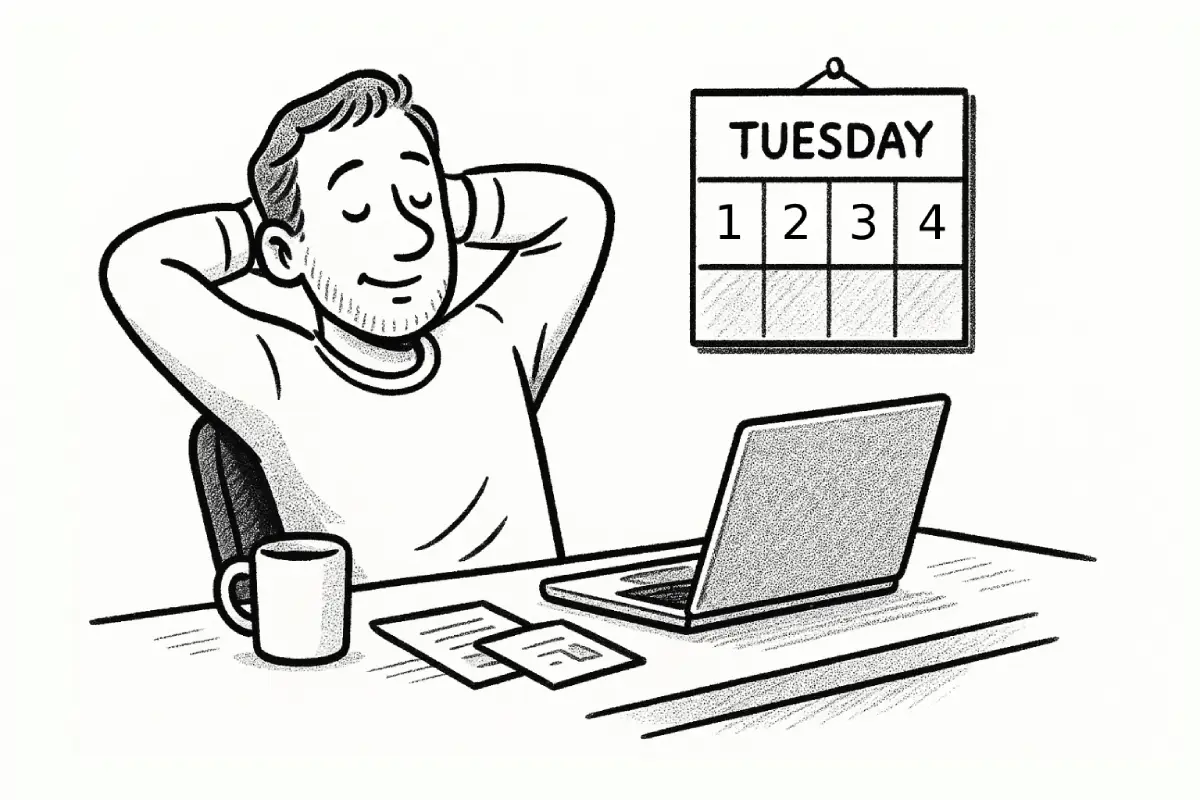
A working agreement and a list of personal preferences are not the same thing. A preference says, “I like feedback in a document.” An agreement says, “For launch copy, product and legal leave comments in the draft by 3 p.m. Tuesday; the content lead resolves open wording questions on Wednesday.”
That distinction is easy to overlook because both can live in the same shared document. Yet only the second changes what people do when work becomes unclear. Cross-functional teams do not need a complete rulebook for every tool, meeting, or personality difference. They need a few explicit rules for the moments when different functions depend on one another and ordinary good intentions stop being enough.
For a team lead, the practical challenge is choosing what belongs in the agreement. Make it too broad, and it becomes an onboarding artifact nobody opens. Make it too narrow, and it leaves the same delays, duplicate work, and quiet frustration untouched. The useful middle ground is a short set of testable agreements tied to recurring coordination choices.
Start with coordination failures, not personal preferences
Do not begin by asking everyone how they prefer to work. That question produces honest answers, but it can produce a document full of incompatible wishes: one person wants every decision in chat, another wants no direct messages, and a third wants more meetings. Start instead with the places where work repeatedly slows down, loops back, or lands with the wrong person.
Ask the group to name one recent moment when a handoff, approval, or change request took longer than it should have. Keep the description concrete: what was needed, who had the needed context, what action was delayed, and where people looked for an answer. This moves the conversation away from “how I work best” and toward “what this group must make predictable.”
That emphasis on clarity has a sound basis. Google’s research on team effectiveness identifies structure and clarity—including clear roles, goals, and plans—as an important team dynamic. Its practical implication is not that every task needs a formal workflow; it is that people should not have to infer the process for common work from whoever happens to be online. Google’s guide to team effectiveness is useful here because it separates working dynamics from individual personality or location.
For example, a product, design, and customer-support group may discover that late customer feedback is not the central problem. The recurring failure is that nobody knows whether support should log the issue, ask product for a priority call, or wait for the next planning cycle. That is an agreement candidate. “Communicate clearly” is not.
A good first agreement usually concerns one of four points of friction:
- Routing: Where does a request go, and who makes the next call?
- Input: What information must accompany a request before another function reviews it?
- Timing: When does a response need to happen, and when can it wait?
- Closure: Where is the final decision recorded so others can act on it?
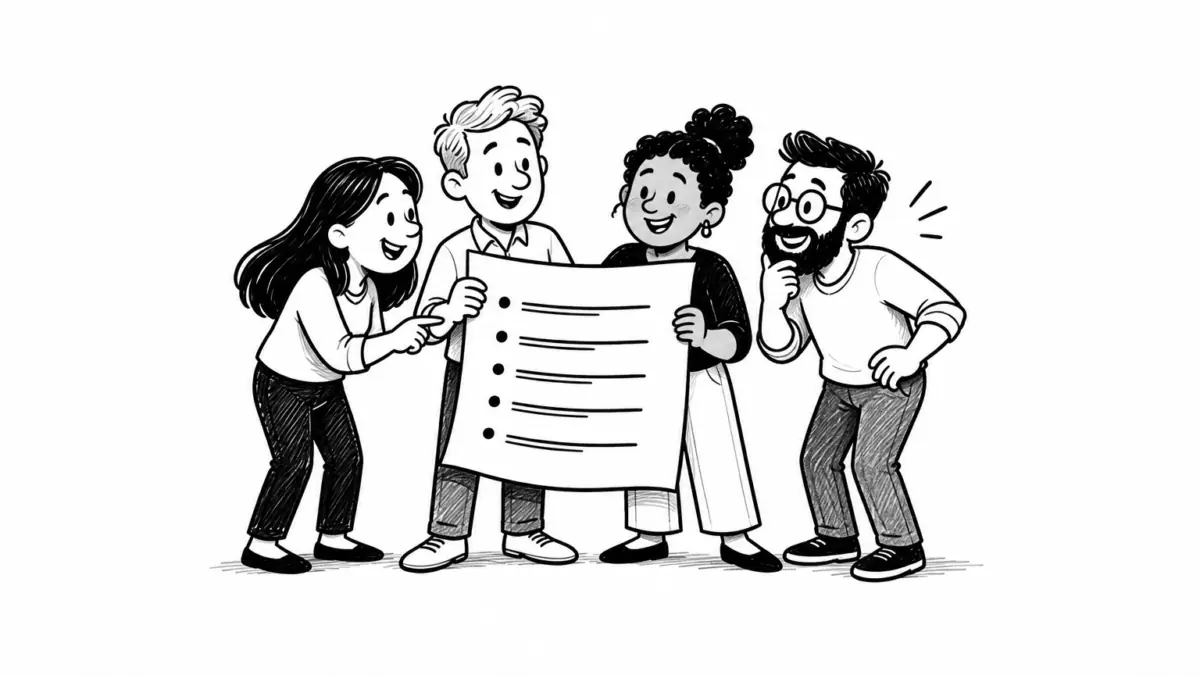
Atlassian’s working-agreements guidance similarly frames these agreements as shared norms for collaboration and calls attention to communication channels and escalation processes. Its working-agreements play offers a useful reminder: the group should create and revise the rules, rather than receive a finished set from the lead.
- No named owner6 messages
- Named decision owner2 messages
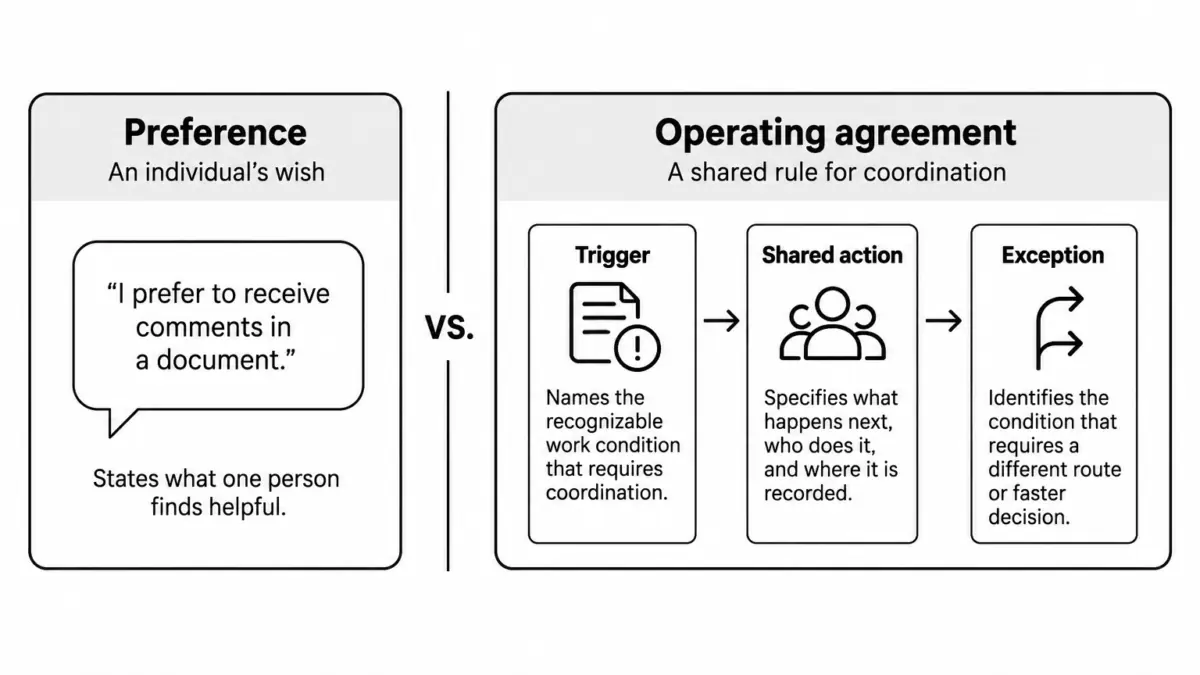
Text version of this visual
- Preference: States what one person finds helpful, such as receiving comments in a document.
- Trigger: Names the recognizable work condition that requires coordination.
- Shared action: Specifies what happens next, who does it, and where it is recorded.
- Exception: Identifies the condition that requires a different route or faster decision.
Turn one repeated friction point into a usable rule
Once you have a real coordination failure, write the smallest rule that would have changed the next action. The rule needs enough detail to settle a choice, but not so much that it requires a meeting to interpret.
Use this structure:
When [recognizable condition], [named role] does [specific action] in [named place] by [time or trigger]. If [exception], [named role] decides or reroutes it.
Suppose the group’s problem is that customer-reported issues are repeatedly discussed in scattered chats before anyone decides whether they affect the current release. A vague agreement might say, “Support should flag urgent issues quickly.” A usable one might say, “When support identifies a possible release-blocking issue, the support lead opens an issue using the release template and tags the product lead. The product lead classifies it by the next business day. If customer access or data is affected, support uses the incident route immediately.”
The rule identifies a condition, an action, a shared location, a decision owner, and an exception. It also avoids requiring every team member to memorize a response-time philosophy.
Be especially careful with words that seem clear until pressure arrives: urgent, stakeholder, reviewed, final, and aligned. Keep one if the team can point to a reliable definition. Replace it if people would make different choices based on the same word.
Written communication works better when it carries enough context for another person to act without reopening the entire backstory. GitLab’s communication handbook calls this low-context communication and pairs it with directing discussions to appropriate channels and recording decisions in a shared source of truth. Its communication guidance is particularly helpful for distributed groups, but the principle applies to any team with overlapping work.
Keep the agreement at the team boundary
A cross-functional agreement should define the interface between functions, not manage the internal routines of every function. Product may need its own prioritization practice; design may need its own critique routine. The shared agreement should cover where those routines meet: what a request must contain, when a decision is needed, who can approve a change, and what others can rely on afterward.
This boundary keeps the document respectful. A lead who writes rules for how another function plans its work is likely to create resistance. A lead who makes the handoff requirements clear gives both groups room to do their own work well.
- Meeting before written proposal30 minutes
- Written proposal before short decision10 minutes
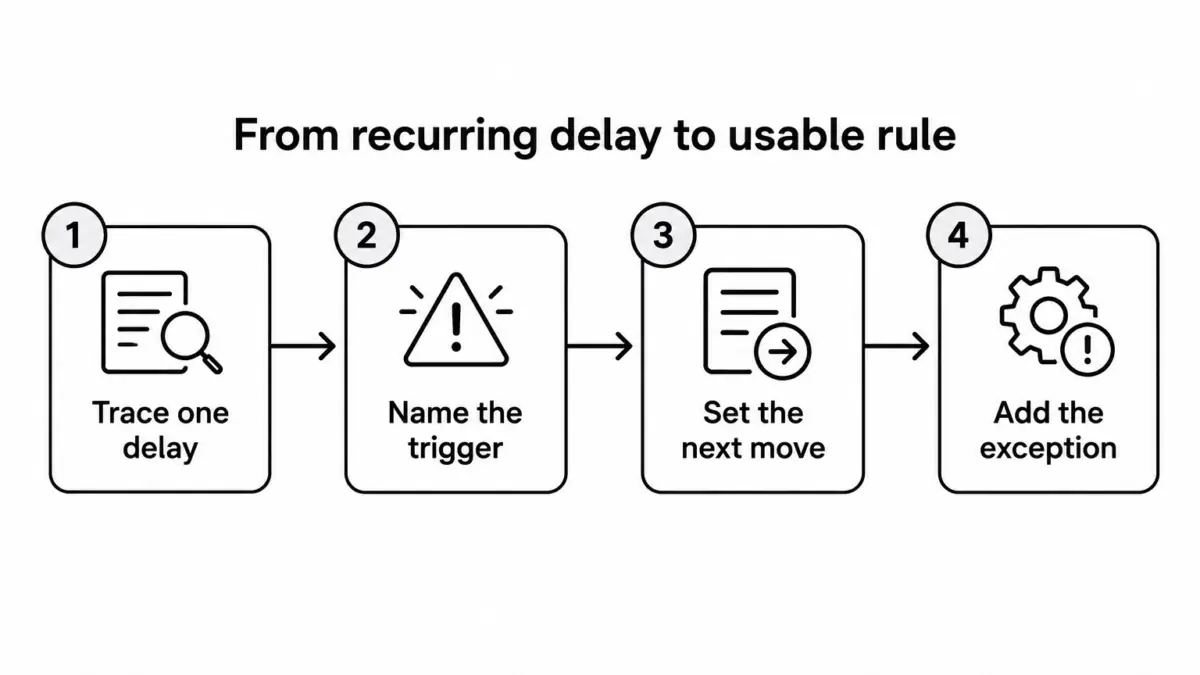
Text version of this visual
- Trace one delay: Identify what was needed, who had context, and what action stalled.
- Name the trigger: Use a condition people can recognize without interpretation.
- Set the next move: Assign a role, action, shared location, and timing cue.
- Add the exception: State who decides when normal timing or routing no longer fits.
Assign an owner, a place, and an exception path
An agreement without an owner becomes a suggestion. An agreement without a home becomes a rumor. An agreement without an exception path becomes rigid at exactly the moment the team needs judgment.
For each rule, name one role responsible for keeping the rule current. That person does not have to police every interaction. Their job is simpler: notice when the rule no longer matches the work, bring the mismatch back to the group, and make sure the current version is findable.
Then choose one durable home. A project brief, shared handbook, or team workspace can work. A pinned chat message is rarely enough for a rule people will need weeks later. Put the agreement near the work it governs, not in a separate culture document that people must remember to visit.
Finally, write the exception route in plain language. Consider a marketing lead waiting for final product details before an announcement. The normal agreement may require a written review window. But if the announcement is tied to an external deadline, the agreement should say who can make a temporary call and how that choice is recorded. The point of an exception path is not to make exceptions routine. It prevents people from quietly bypassing the agreement when a real constraint appears.
Use role names rather than individual names whenever possible. “Release manager” survives a staffing change; “Jordan” does not. If the team has no stable role, name the current project owner and set a review date.
Review the agreement when the work changes
Working agreements need a review trigger, not a ceremonial annual refresh. The useful question is not “Do we still like this?” It is “Did this rule help us make the recurring decision it was written for?”
Review a rule after a changed dependency, a new team member with meaningful ownership, a reorganization, a missed handoff, or a project phase change. Keep the review short. Look at one recent instance and ask what the rule made easier, what it left uncertain, and whether the exception became more common than the standard path.
There is a reason to include this step rather than treat it as housekeeping. Research on team reflexivity describes teams examining objectives, strategies, and processes, then using feedback and planning to adjust future work. A study of 82 teams found that decision quality partly explained the connection between team reflexivity and team performance, with varied team information strengthening that relationship. The open-access study on team reflexivity does not prescribe a particular template, but it supports the discipline of reviewing how work happened before deciding what to preserve.
Delete rules that merely restate obvious courtesy. Combine rules that govern the same decision. If people repeatedly work around a rule, do not assume they are failing the process; find out whether the process is protecting the wrong thing.
A cross-functional agreement is ready when a person facing a familiar ambiguity can find the rule and take the next step without waiting for the team lead to translate it. Use that as the decision rule: if the sentence does not change a recurring action, leave it out.
- Initial preference list14 rules
- Tested coordination rules7 rules
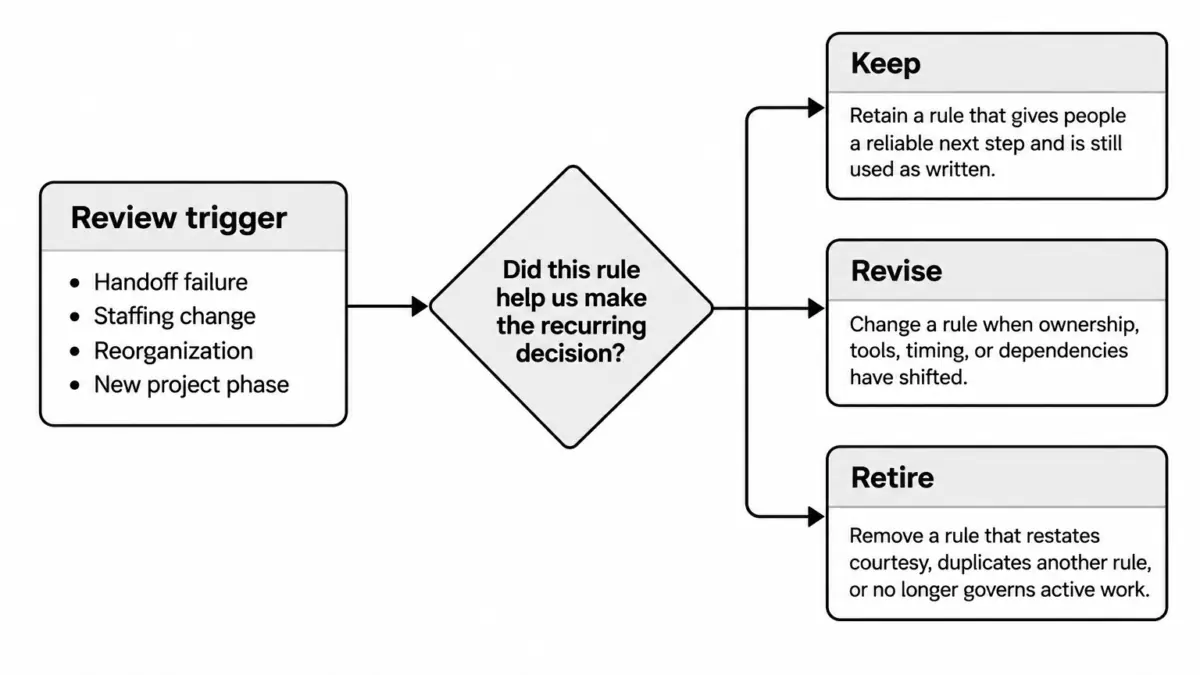
Text version of this visual
- Keep: Retain a rule that gives people a reliable next step and is still used as written.
- Revise: Change a rule when ownership, tools, timing, or dependencies have shifted.
- Retire: Remove a rule that restates courtesy, duplicates another rule, or no longer governs active work.
- Review trigger: Start the check after a handoff failure, staffing change, reorganization, or new project phase.
 About the author Ines Martínez
Digital Nomad & Resume Strategist · Spain/Mexico ¡Hola! I am a digital nomad and resume nerd who’s helped over 500 professionals craft winning CVs. My background is in UX writing, but I fell in love with career coaching while traveling across Latin America. I write practical guides and templates that actually help people get hired.