In this article
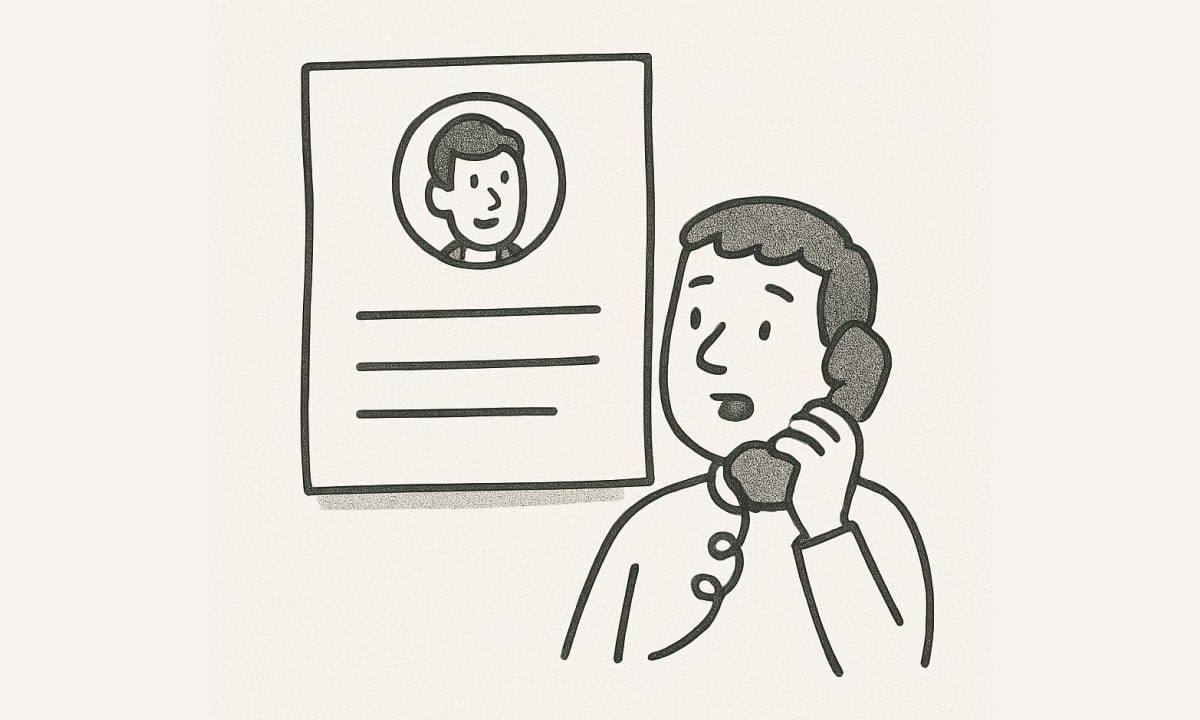
A hiring manager opens your portfolio between meetings. The first project looks impressive, but they cannot tell what you designed, why the team chose that approach, or whether the work ever shipped. Those questions will still be unanswered when the page closes.
A useful portfolio makes that information accessible. It gives someone enough context to evaluate your work before a call, then provides material for a deeper conversation.
That matters in remote hiring, where your writing and presentation may be the team’s first experience of how you communicate. GitLab’s public product designer interview guide asks candidates to discuss project goals, research, design work, team structure, and collaboration during a portfolio walkthrough. Atlassian’s design interview guide separately examines product thinking and craft. These are two employers’ expectations, rather than a universal hiring formula.
The 12 examples below are real public portfolios, checked on October, 2026. They were selected for specific ways of presenting work. This is not evidence that a particular portfolio caused a remote job offer, and the designers’ availability or working arrangements are not established here. Project outcomes are their authors’ reports unless otherwise stated.
Most examples concern product and UX design, with specialist craft and independent projects included too. Some featured work is several years old. Study how the work is explained, and choose examples relevant to the role you want.
What to look for before studying the examples
Start with an actual vacancy. An interaction designer, a brand designer, and a design lead need to demonstrate different capabilities. Browse remote creative and design roles on Jobicy and identify the responsibilities your portfolio needs to support.
Then check whether each project answers five questions:
- What was the problem, and who experienced it?
- What was your responsibility within the team?
- Which evidence and constraints shaped your decisions?
- What did you deliver, and what happened afterward?
- What would you change or investigate next?
Nielsen Norman Group’s portfolio guidance similarly emphasizes role, process, constraints, and outcomes alongside the finished work. Treat these as questions to answer, rather than headings that must appear in every project.
12 real portfolio examples
| Designer | Particularly useful to study |
|---|---|
| Adham Dannaway | Explaining a design system through practical constraints and adoption. |
| Lola Jiang | Connecting an ambiguous objective to specific design decisions. |
| Jeff Lagasca | Making a complicated enterprise project understandable. |
| Karolis Kosas | Explaining why different platforms need different experiences. |
| Elizabeth Lin | Showing leadership, team building, and product direction. |
| Daniel Tieu | Connecting interface work to a reusable product platform. |
| Alex Chiu | Documenting an experiment with a defined scope and hypothesis. |
| Sanvi Saya | Distinguishing shipped work, prototypes, and concepts. |
| Garri Tonakanyan | Making role, dates, and project scope easy to identify. |
| Amy La | Building a coherent portfolio around a particular audience. |
| Jessica Hische | Making specialist services and craft immediately clear. |
| Pablo Stanley | Connecting a designer’s profile to published projects and tools. |
1. Adham Dannaway: show how a system becomes usable
Study: Creating a lean design system.
Dannaway’s April 2018 case study describes inconsistent interfaces across web, iOS, and Android, with no dedicated design-system team or budget. It explains the component audit, platform libraries, templates, workshops, and gradual adoption with developers.
The useful lesson is that the system has a practical purpose. The story connects the work to repeated components, inconsistent patterns, and the team’s ability to use the result.
Apply it: Show one inconsistency, the decision that addressed it, and how teammates learned to use or maintain the system. Include a caption explaining what changed and why.
Keep in mind: This is a historical project using tools from that period. For your own case, describe your actual tools, constraints, and adoption evidence. A component library alone does not establish that a team used it.
2. Lola Jiang: turn a broad objective into a decision story
Study: Redesigning Teambition’s mobile app.
Jiang starts with an app-retention objective and describes the challenges of narrowing the problem, working with data scientists, and getting agreement on a direction. The narrative moves from an ambiguous goal toward specific user actions and iterations.
This gives a reviewer material to discuss: how the problem was framed, what information informed the approach, and how the designer moved the work forward.
Apply it: Choose a turning point in your project. Explain what you initially thought, what changed your understanding, and which decision followed.
Keep in mind: Several newer projects on Jiang’s homepage are password-protected. This linked case is public. Protected work and a public overview can coexist, but access restrictions need to be clear before an interview.
3. Jeff Lagasca: make enterprise complexity legible
Study: Wyndham Voyager.
Lagasca’s case identifies disconnected legacy tools, the experience-design director role, and the scope of the engagement. It then separates the agent platform from the owner-facing platform and describes workflow mapping, research, and delivery.
That separation helps a reader understand who needed what. It also gives the project an operational context beyond a collection of screens.
Apply it: Draw a simple map of the people, systems, and handoffs involved. Explain the part you owned and one dependency you had to resolve with another team.
Keep in mind: The page reports business and operational outcomes; those figures have not been independently audited here. For your own metrics, explain the comparison period and your contribution. This project also involved substantial in-person work, so it should not be treated as proof of a remote process.
4. Karolis Kosas: explain the reason for platform differences
Study: YPlan.
The YPlan case describes a mobile event-discovery product expanding into a web experience. Kosas explains differences in booking behavior, including advance planning, filtering, event information, and seat selection. He also states his responsibilities across team leadership, research, prototyping, and design.
The transferable lesson is the connection between user behavior and the product’s structure. A reviewer can see why the web experience needed more than a larger version of the mobile screen.
Apply it: Show one flow in two contexts and explain the decision behind each version. Useful contexts might include desktop versus mobile, a first-time versus returning user, or an administrator versus customer.
Keep in mind: Select a narrow example that demonstrates your own contribution. You do not need a project spanning several platforms to explain a thoughtful tradeoff.
5. Elizabeth Lin: make leadership responsibilities visible
Study: A learning community for kids — Primer.
Lin’s Primer overview describes being the first designer, establishing research and design processes, building a team, leading product initiatives, and partnering with a brand studio. The project highlights are placed within that broader responsibility.
For a senior or lead application, this creates room to evaluate work beyond individual screens: setting direction, supporting other designers, and responding to product changes.
Apply it: Separate what you designed personally from what you directed, reviewed, or enabled. Give one concrete example of a team practice you introduced and what it helped the team do.
Keep in mind: Leadership language should match your responsibility. A junior designer can demonstrate initiative through a useful critique, documented decision, or well-managed handoff without claiming to have led the organization.
6. Daniel Tieu: connect a feature to the wider product
Study: GoodRX subscription work.
Tieu’s case describes a telehealth subscription flow and a reusable conditions platform. It identifies connected services, a customer journey, and intake improvements, giving the interface work a place within a broader product operation.
This is useful when applying for roles involving services with several dependencies. The reader can begin to understand how the experience extends beyond one screen.
Apply it: Explain the steps before and after your interface. Identify what information is passed between them and which team or service owns each dependency.
Keep in mind: Some of the description uses team-level language. In your own case, add a clear account of your personal role. If you report an optimization, distinguish what shipped from an improvement that was intended but not yet measured.
7. Alex Chiu: define an experiment and its boundaries
Study: An agentic design-system experiment.
Chiu describes using his portfolio’s design system as a testing ground for AI-assisted maintenance. The case states a hypothesis, explains the system’s structure, and describes tasks such as auditing tokens and checking consistency between Figma and code.
Importantly, it identifies the portfolio system as the experiment’s setting. That gives readers a way to distinguish an exploration from a production deployment.
Apply it: When presenting experimental work, state the question, test environment, your intervention, and what you observed. Include the limitations and what you would need to test next.
Keep in mind: The reported results belong to this experiment. An AI-related project still needs evidence of your design judgment; naming tools or showing generated output is not enough to explain your contribution.
8. Sanvi Saya: label the status of the work
Study: Sanvi Saya’s portfolio.
Saya’s project summaries distinguish shipped work, product concepts, and prototypes. They also identify areas such as enterprise software, design systems, and work with founders. A pregnancy-nutrition project is explicitly labeled as a product concept.
Those labels help a reader understand what kind of evidence each project can provide. A concept may demonstrate exploration and craft; a shipped project can support a discussion of implementation and observed use.
Apply it: Put the project status near the beginning: shipped, pilot, prototype, student project, or independent concept. State whether you had access to actual users, business data, or implementation feedback.
Keep in mind: A label does not validate an outcome. Support any time-saving or performance claim with the method used to establish it, and mark estimates as estimates.
9. Garri Tonakanyan: give each project a clear scope
Study: Garri Tonakanyan’s portfolio.
The Yandex Bank and Search Super App summaries include years, role, and scope alongside descriptions of the work. The portfolio also identifies contributions in areas such as payment flows, prototyping, design systems, and branding.
This makes the project context easier to establish before a detailed conversation. Dates and responsibilities help a reader distinguish the designer’s part from the size or reputation of the organization.
Apply it: Add a compact project summary with dates, team, role, responsibilities, and status. Keep it consistent across cases so a reviewer can compare them.
Keep in mind: Large audiences and recognized brands provide context, but they do not establish individual impact. Explain what you personally changed, and use a smaller project if it provides clearer evidence of your work.
10. Amy La: organize around an audience you understand
Study: Amy La’s portfolio.
La introduces her work around designing for creators. The public project list includes song sketching, video-editing tools, and a Frame.io context-menu framework identified as internship work. Product design and prototyping connect the examples.
That thematic connection gives a reviewer a straightforward starting point for understanding her interests and relevant work.
Apply it: Look for a thread through your strongest projects: a user group, a domain, or a type of design problem. Describe that thread in your introduction, then support it with the work you show.
Keep in mind: A theme is useful when it matches the application. If you are applying outside that domain, explain which decisions or skills transfer instead of expecting the reviewer to make the connection.
11. Jessica Hische: make the specialist work clear
Study: Logos and logo refreshes.
Hische’s portfolio names her specialization in custom logos and the redrafting of established brands. The site separates lettering and illustration, logos and branding, books, and typefaces. The logo page also distinguishes logo refreshes.
For a craft-focused role, that organization makes the kind of work available for review explicit. A specialist does not have to flatten every project into a product-design case-study format.
Apply it: Name the actual craft you offer and group samples accordingly. For brand work, explain the brief, your contribution, the relevant constraints, and how the design was applied.
Keep in mind: A gallery can show range, but a hiring conversation may require more context. Prepare a few examples where you can explain the choices and approval process, especially when the work involved several contributors.
12. Pablo Stanley: connect the profile to inspectable work
Study: Pablo Stanley’s project index.
Stanley’s site links to products, design tools, characters, code, and other published projects. Short descriptions and dates give visitors routes into the work rather than leaving the introduction as the only evidence of capability.
The useful principle is making artifacts available for further inspection. This can be relevant to designers who build tools, prototypes, resources, or independent products.
Apply it: Link to an artifact a reviewer can inspect when you have permission to share it. Explain what you made, what collaborators contributed, and what the artifact demonstrates.
Keep in mind: A project index is an entry point. For a role that expects research, prioritization, or teamwork, add the decision story behind a relevant artifact. A large collection of side projects is not a requirement.
Build a case study someone can understand without you
For a remote application, give your reader a clear written version before expecting them to attend a walkthrough. This is an editorial structure you can adapt:
| Section | What to include |
|---|---|
| Project summary | Product, users, dates, status, team, and your role. |
| Problem | The task or difficulty, supported by the evidence available. |
| Constraints | Time, access, technical dependencies, business requirements, or other limits. |
| Key decisions | A few important choices, alternatives considered, and reasons for the direction. |
| Collaboration | Who contributed, how you handled feedback, and how decisions were shared. |
| Delivery | What you produced, implemented, tested, or handed over. |
| Outcome and limits | What was observed, what remains unknown, and what you would investigate next. |
Choose the artifacts that explain those decisions. A research note, a rejected flow, or a captioned iteration may be more useful than another final screen without context.
Keep the summary readable on its own. Put supporting detail below it, with headings and captions that let someone find the relevant part. The reader should not have to open a design file to discover your role.
For a quantitative outcome, record the baseline, comparison period, measurement source, and relevant limitations. When several changes shipped together, avoid attributing the entire movement to your design. When no reliable metric exists, describe an observable result or the next test required.
Show how the team could work with you remotely
You can demonstrate collaboration through the project account itself:
- Explain how you documented a decision so absent teammates could review it.
- Show how feedback changed the work and how you resolved competing requirements.
- Describe a handoff, implementation review, or issue you clarified with engineering.
- Identify how you communicated a blocker or decision that needed another person’s input.
Only claim remote collaboration when that was the actual arrangement. Work conducted in person can still demonstrate useful communication practices; state the context accurately.
Your contact or availability information can include location and workable time-zone overlap when those details are relevant and you are comfortable publishing them. A role may have country restrictions even when the team works remotely. Use Jobicy’s company directory to research potential employers, then check their current role requirements.
What to include when you have limited experience
A small, honest project can provide material for a useful discussion. Examples might include a volunteer website, a student project, a tool you built, or an independent redesign with a clearly defined scope.
Label the context. If you redesigned a company’s interface without working for that company, identify it as an independent concept. State which assumptions you made, what evidence you collected, and what you could not verify.
Avoid invented client relationships, user interviews, business results, or testimonials. A prototype that needs validation can still show how you frame a problem and make choices.
Experience from another field may also help explain your understanding of users or operations. Jobicy’s guide to identifying transferable skills can help you describe that connection without relabeling it as design employment.
Start with the work that gives you something substantive to explain. Add projects when they demonstrate a different relevant capability, rather than filling an arbitrary quota.
Handle confidential work before sharing it
Check what you are permitted to disclose. A password, blurred image, or private interview does not automatically authorize sharing restricted material.
If needed, ask for approval to use a limited, redacted account. You may be able to describe your responsibility and general approach, but the permitted detail depends on the agreement and employer or client permission.
Keep an accessible overview where permitted, explain how approved supporting work can be reviewed, and test the access instructions before the call. Use a public or independently created project if you cannot show enough of the confidential work to discuss it properly.
Make the portfolio easy to review
Test the application link while signed out and on a phone. Check that the first project opens, images and captions remain readable, contact information is easy to find, and prototypes have a fallback explanation.
Use descriptive headings, readable text, captions, and meaningful image descriptions. Let the reader control motion where practical. Keep essential information available without requiring sound, hover interactions, or a long introduction animation.
A hosted builder, a simple website, or a PDF can all be suitable depending on the employer’s instructions. Choose a format you can maintain and test. Custom development is useful when it demonstrates relevant skills, but it is not a prerequisite for explaining your design work.
Turn the portfolio into an interview conversation
Ask how long the presentation should be and which project or skills the team wants to discuss. Select a case that fits those expectations, and practice explaining it without reading the page aloud.
Be ready for questions such as:
- Which part did you own, and where did others contribute?
- What alternative did you reject, and why?
- What evidence changed your direction?
- What remained unresolved when the project ended?
- What would you test next with more time or access?
Bring a shareable backup if the site or prototype fails, within the permissions for the work. Jobicy’s interview preparation guide covers the wider conversation, logistics, and follow-up.
Before your next application, improve one case study: clarify your role, explain a consequential decision, and make the outcome or uncertainty visible. Then ask another person to read it without your explanation and tell you what they understood. Their unanswered questions give you a concrete next edit.
 About the author Matt Semon
Career Writer · AI Hiring Trends · USA I’m Matt, a writer and researcher focused on how hiring is evolving in the age of AI. I’ve been following trends in recruitment, automation, and remote work since 2018. When I’m not writing deep-dive articles for Jobicy, I’m testing AI tools to see how they impact candidates and hiring teams.