In this article
Virtual reality has spent years being presented as the technology that would replace offices, video calls, and even computer monitors. That has not happened.
In 2026, the more useful way to think about VR is much narrower: it isn outperform conventional remote-work software when physical presence, spatial understanding, simulation, or hands-on practice genuinely matters.
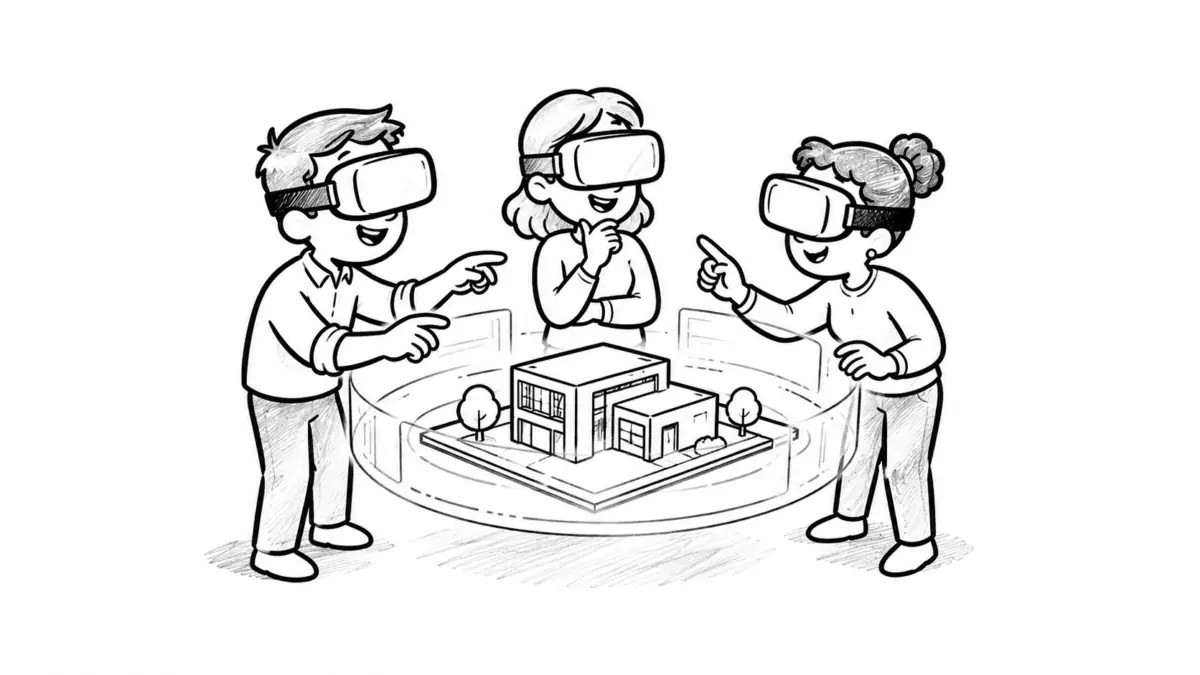
A distributed product-design team examining the same 3D model, a technician practicing a dangerous procedure, or managers rehearsing difficult conversations can gain something from immersion that a standard video call cannot easily provide. A weekly status meeting, by contrast, is usually faster and more accessible in Zoom, Microsoft Teams, or Google Meet.
The business case for VR is strongest when immersion changes the task itself. If a headset merely recreates a meeting that already works well on a laptop, the extra hardware and complexity may not be justified.
VR Is Not Becoming the Default Remote Office
The workplace discussion around VR has changed significantly since the early 2020s. Hardware has improved, standalone headsets have become cheaper, mixed reality has made it possible to combine physical and virtual workspaces, and enterprise applications have matured.
But market data still does not support the idea that headsets are becoming a standard piece of office equipment.
Counterpoint Research reported that global VR headset shipments declined 17% year over year in the first quarter of 2026. Meanwhile, lighter AR and AI glasses are growing much faster.
IDC’s 2026 XR forecast expects approximately 3.2 million mixed-reality devices such as Meta Quest-class headsets to ship globally in 2026, rising to 10.4 million by 2030. IDC estimates an average selling price of about $742 for the category in 2026.
That growth is meaningful, but it still places immersive headsets far from the ubiquity of laptops and smartphones.
For employers, the implication is straightforward: VR should generally be deployed around specific workflows rather than made mandatory for an entire distributed workforce.
What Today’s VR Hardware Actually Costs
The hardware barrier has fallen substantially at the lower end of the market, although prices vary enormously depending on the device and ecosystem.
| Device | Approximate U.S. price in 2026 | Practical workplace position |
|---|---|---|
| Meta Quest 3S 128GB | $349.99 | Relatively inexpensive standalone entry point for VR training and pilot deployments |
| Meta Quest 3 512GB | $599.99 | Higher-quality mixed-reality option with stronger visual and workplace potential |
| Apple Vision Pro | From approximately $3,699 | Premium spatial-computing platform aimed partly at productivity, visualization, and professional workflows |
Current Meta pricing can be checked directly on the Meta Quest 3S and Meta Quest 3 product pages. Apple publishes current Vision Pro availability through its U.S. store.
Hardware price is only part of the deployment cost. A company may also need:
- replacement facial interfaces and straps;
- prescription lens inserts;
- carrying cases and charging equipment;
- software subscriptions;
- device provisioning and management;
- IT support;
- custom 3D content;
- shipping to remote employees;
- customs and taxes for international teams;
- spare devices for failures and replacements.
A 20-person pilot using consumer-class standalone headsets can therefore be relatively inexpensive. Building a customized training environment for thousands of employees is a different type of project entirely.
Where Research Shows VR Can Help
Claims about VR productivity should be treated carefully because the results depend heavily on what users are being asked to do.
There is stronger evidence for immersive training and certain collaborative tasks than for replacing ordinary desktop work.
Training and Skill Development
One of the best-known workplace studies comes from PwC’s research into VR soft-skills training.
Employees learning inclusive-leadership skills were assigned classroom, e-learning, or VR versions of the training. PwC reported that VR learners could complete the material up to four times faster than classroom learners before accounting for initial headset setup. Even after including first-time setup and familiarization, VR learners completed the training about three times faster.
PwC also reported higher confidence in applying the material and greater focus during the VR sessions.
The cost calculation was more nuanced. PwC estimated that creating the VR content initially required greater investment, but reusable content could become economically attractive at sufficient scale. In its particular model, VR reached cost parity with classroom training at approximately 375 learners and with e-learning at around 1,950 learners.
Those figures should not be treated as universal ROI thresholds. Custom content complexity, hardware costs, employee salaries, travel requirements, and the number of times a simulation can be reused can dramatically change the economics.
Research also provides an important counterweight to vendor enthusiasm. A 2024 review of immersive VR training studies found generally positive outcomes and high learner satisfaction, but several studies did not find statistically significant performance differences between VR and conventional training.
In other words, VR can be an effective training medium without necessarily being a superior one in every situation.
Collaborative Learning
A systematic literature review published in Frontiers in Virtual Reality analyzed 139 studies involving VR and collaborative learning.
The researchers identified several recurring advantages, including engagement, support for remote collaboration, shared multidisciplinary spaces, social-skills development, and the ability for participants to manipulate information together.
They also cautioned that research methods and approaches remain diverse and that more work is needed to establish consistent practices for how collaborative VR should actually be designed.
Remote Meetings
A more directly relevant 2024 study of immersive workplace meetings involved employees from three organizations meeting through Meta Horizon Workrooms.
Participants reported greater togetherness, improved interaction, and better conversational flow. Embodied avatars and spatial interaction appeared to make turn-taking and nonverbal communication feel more natural than conventional videoconferencing.
However, the researchers also highlighted limitations including avatar realism, technical maturity, and barriers to widespread adoption. The study was exploratory rather than evidence that every VR meeting outperforms a video call.
Where VR Makes the Most Sense for Distributed Teams
| Use case | Why VR may help | Is VR usually worth testing? |
|---|---|---|
| Routine status meetings | Provides presence, but adds setup friction | Usually no |
| Brainstorming workshops | Shared spatial canvas, movement, breakout conversations, 3D objects | Sometimes |
| Soft-skills training | Repeatable simulated conversations and behavioral practice | Yes |
| Safety or procedural training | Employees can practice dangerous or expensive scenarios without real-world risk | Often |
| 3D product design | Participants can inspect models at scale and from different perspectives | Often |
| Architecture and digital twins | Spatial relationships are easier to understand than on a flat screen | Often |
| Remote technical assistance | Remote experts can interact with spatial representations of equipment and environments | Often |
| Employee social events | Can create a stronger feeling of shared presence than another video call | Sometimes |
| Individual email and document work | Virtual monitors can create additional screen space | Depends heavily on comfort and hardware |
What Happened to the Major Virtual Workplace Platforms?
The history of workplace VR also reveals one of the biggest enterprise risks: the software platform itself may disappear or change direction.
Meta Horizon Workrooms
Meta launched Horizon Workrooms in 2021 as one of the most visible attempts to create a dedicated VR office. Users could meet around virtual tables, use whiteboards, bring computer screens into VR, and interact through avatars.
It also became a useful research platform for studying immersive remote meetings.
But companies considering the product today should know that Meta discontinued Horizon Workrooms as a standalone application on February 16, 2026.
Meta subsequently stopped selling Horizon managed services and commercial Meta Quest SKUs on February 20, 2026. Existing managed-service customers can continue receiving support through January 4, 2030, and Meta says it remains committed to VR overall.
The Workrooms example does not mean enterprise VR failed. It does demonstrate why companies should avoid designing an important workflow around a proprietary application without an exit strategy.
Spatial
Spatial evolved through several different forms, including AR collaboration, virtual spaces, creator tools, events, and enterprise experiences.
Its platform has also changed direction. Spatial announced in May 2026 that its Free and Pro Creator tiers and associated 3D world hosting would shut down on July 27, 2026.
However, Spatial explicitly stated that its Enterprise platform would remain operational and that enterprise customers would continue to be supported under their existing terms.
Again, the lesson for IT teams is less about one particular vendor and more about portability. Companies should know whether they can export their 3D assets, training content, user data, and documentation if a platform changes direction.
Arthur
Arthur remains focused on enterprise VR collaboration, with virtual offices, workshops, meetings, presentations, and spatial collaboration environments.
One useful example is its work with NTT DATA on enterprise VR pilots. The initiative explored virtual meetings, workshops, team building, and immersive collaboration across industries including manufacturing, healthcare, financial services, and the public sector.
The project illustrates a sensible enterprise approach: test multiple concrete use cases before attempting a large organization-wide deployment.
Apple Vision Pro and Spatial Computing
Apple has approached the category somewhat differently. Vision Pro emphasizes spatial computing rather than a dedicated virtual office.
Users can place large virtual displays around their workspace while continuing to use conventional productivity software and video collaboration tools.
The platform supports applications and ecosystems including Zoom, Webex, Microsoft 365, and Mac Virtual Display. This hybrid model may ultimately be more practical for some knowledge workers than spending an entire working day inside a completely simulated office.
A Real Company Experiment: What PwC Learned
A particularly useful example comes from PwC Consulting in Japan, which ran a three-day company-wide metaverse experiment.
More than 600 employees responded to a post-event survey. PwC reported strong satisfaction and interest in attending similar business events again.
But the company also documented problems rather than presenting the experiment only as a success story. These included:
- initial setup difficulty;
- VR sickness;
- privacy concerns;
- security assessment requirements;
- additional IT support needs;
- questions about whether environments should be open or closed.
PwC concluded that a combination of in-person events, headset-based participation, and access through conventional devices was likely to remain necessary.
That is a useful model for distributed companies: VR works better as another collaboration option than as a mandatory replacement for every existing tool.
Hardware and Ergonomic Limitations Still Matter
A headset is fundamentally different from a laptop because the user physically wears the computer.
That creates constraints that cannot be solved purely through faster processors or higher-resolution displays.
Weight and Comfort
Apple’s current Vision Pro specifications, for example, list a headset weight of approximately 750 to 800 grams depending on configuration, plus a separate 353-gram battery.
Even much lighter devices can create pressure on the face, neck, and head during long sessions.
This makes the idea of an employee routinely spending eight hours inside a headset very different from using VR for a 30-minute training exercise or one-hour workshop.
Battery Life
Standalone hardware also introduces battery limitations. Meta lists approximately 2.5 hours of battery life for the Quest 3S, while Apple specifies up to 2.5 hours of general use for Vision Pro.
External power and charging can extend working time, but they also make the setup less mobile.
Cybersickness
Some users experience nausea, dizziness, disorientation, headaches, eye strain, or other forms of discomfort in immersive environments.
This is not merely a theoretical concern. VR sickness continues to be documented in recent VR research.
Meta’s own Quest health and safety guidance recommends that new users begin with short sessions. As an example, Meta suggests a maximum initial session of 30 minutes followed by a 15-minute break, increasing exposure gradually as the user becomes accustomed to the device.
For employers, this means comfort cannot be treated as an employee-performance problem. Workers should be able to stop using VR when they experience discomfort and switch to a non-immersive alternative.
Accessibility Cannot Be an Afterthought
VR can create new accessibility opportunities while simultaneously creating new barriers.
Some systems provide voice control, captions, magnification, alternative input methods, hand tracking, adjustable interfaces, and other assistive technologies. Apple Vision Pro, for example, includes support for VoiceOver, Zoom, closed captioning, Switch Control, Dwell Control, and other accessibility features.
But an application may still require physical movements, precise gestures, stereo vision, hearing, standing, head movement, or visual interpretation that some employees cannot comfortably perform.
The W3C XR Accessibility User Requirements documents many of these challenges and emphasizes multimodal interaction, customization, alternative input, magnification, color adjustments, motion-independent controls, and other requirements.
A company should never make immersive participation the only way to attend an important meeting, complete mandatory training, or access essential work information unless it has verified that the experience is accessible to every employee who needs it.
A browser, desktop application, video stream, or equivalent non-headset workflow should normally remain available.
VR Also Creates Different Privacy and Security Questions
Immersive devices can process considerably more information about users and their surroundings than traditional collaboration software.
Depending on the hardware and application, that can include:
- head and body movement;
- hand position;
- eye tracking;
- voice;
- room geometry;
- camera feeds;
- spatial maps;
- interaction patterns;
- biometric identifiers.
A 2025 NIST report on cybersecurity and privacy for immersive technologies highlighted the unusual scale and sensitivity of biometric, spatial, and behavioral information that XR systems may process.
Before approving a VR platform, IT and security teams should determine what information is collected, where it is processed, how long it is retained, which administrators can access it, whether third parties receive it, and what happens when an employee leaves the company.
Companies should also review standard enterprise requirements such as single sign-on, identity management, encryption, device controls, software updates, account recovery, incident response, and remote device wiping.
How to Run a VR Pilot for a Distributed Team
The safest way to evaluate VR is not to purchase hundreds of headsets. Start with one measurable problem and a small pilot.
Step 1: Choose a Use Case Where Immersion Might Actually Matter
Good pilot candidates include:
- new-manager role-play;
- safety training;
- technical procedure simulation;
- 3D design reviews;
- architecture walkthroughs;
- complex brainstorming workshops;
- remote expert assistance;
- distributed team-building sessions.
A routine weekly meeting is usually a poor first pilot because it provides little opportunity for VR to demonstrate a unique advantage.
Step 2: Establish the Existing Baseline
Measure how the task works today before introducing VR.
Depending on the use case, useful baseline metrics may include:
- training completion time;
- assessment scores;
- number of errors;
- time required to complete a collaborative task;
- participant engagement;
- meeting duration;
- travel requirements;
- employee satisfaction;
- support tickets;
- cost per participant.
Without a baseline, a visually impressive demonstration can easily be mistaken for a business improvement.
Step 3: Recruit a Small and Diverse Pilot Group
A group of roughly 10 to 20 participants is usually enough to identify major usability, comfort, workflow, and support issues before making a larger investment.
Include people with different levels of technical familiarity and, where possible, different physical working environments.
Participation should be voluntary during the exploratory stage, with a desktop or video-based alternative available.
Step 4: Complete Security and Accessibility Checks Before the Pilot
Review:
- authentication;
- data collection;
- recording;
- permissions;
- room and sensor data;
- vendor retention policies;
- accessibility features;
- device-management options;
- export capabilities;
- vendor shutdown and migration procedures.
Do this before employees begin putting confidential documents or conversations into a shared virtual environment.
Step 5: Standardize Setup and Onboarding
Create a short onboarding process covering:
- headset fitting;
- controllers and hand tracking;
- boundary setup;
- connecting to Wi-Fi;
- joining the virtual workspace;
- muting and audio controls;
- switching back to desktop participation;
- safety and break guidance.
Record how much time employees actually spend getting ready. A collaboration platform that saves five minutes during a meeting but requires fifteen minutes of troubleshooting before every session has not improved the workflow.
Step 6: Run the Pilot for Several Weeks, Not One Demonstration
The novelty effect can make a first VR session unusually engaging.
A better test uses the system repeatedly over several weeks. This reveals whether participants continue to find the technology useful after the novelty disappears.
It also exposes practical problems involving charging, software updates, forgotten passwords, headset comfort, damaged equipment, home workspace constraints, and IT support.
Step 7: Compare VR With the Existing Workflow
At the end of the pilot, compare the same measures collected during the baseline period.
| Question | What to measure |
|---|---|
| Did people perform better? | Task results, error rate, assessment scores, completion time |
| Did collaboration improve? | Participation, engagement, quality of outputs, participant feedback |
| Was VR usable? | Setup time, failures, support requests, learning curve |
| Was it comfortable? | Session completion, discomfort reports, voluntary continued use |
| Was it accessible? | Number of users requiring alternative participation and barriers encountered |
| Did it save money? | Travel, instructor time, facilities, hardware, software, support and content costs |
| Will people use it again? | Repeated voluntary usage after the novelty period |
Step 8: Scale the Use Case, Not the Technology
If the pilot works, expand that specific workflow first.
For example, success with VR safety training does not mean the same company should move daily management meetings into VR. Success in architectural visualization does not prove that programmers will be more productive writing code inside headsets.
Scale each use case only when it has its own measurable benefit.
Questions IT Leaders Should Ask Before Buying VR Hardware
- What problem are we trying to solve that current tools do poorly?
- Does the task genuinely benefit from three-dimensional space or simulation?
- Can employees participate without a headset?
- What percentage of the workforce can comfortably use the hardware?
- Which accessibility requirements must the platform support?
- How will headsets be provisioned, patched, shipped, replaced, and recovered?
- What sensor and biometric information does the system collect?
- Where is company information stored?
- Can we export our content and data?
- What happens if the vendor discontinues the product?
- How much does custom content creation cost?
- How frequently will the experience be reused?
- What existing cost or problem should disappear if the project succeeds?
So, Does VR Have a Future in Remote Work?
Yes, but probably not as a universal virtual office.
The strongest evidence and practical examples point toward more targeted uses: immersive training, simulation, spatial design, digital twins, remote technical assistance, workshops, and collaborative tasks where participants need to understand or manipulate three-dimensional information together.
For normal communication, documents, project management, coding, email, and routine meetings, conventional laptops and video collaboration tools remain simpler, cheaper, more accessible, and easier to support.
The evolution of Horizon Workrooms, Spatial, and other platforms also shows that companies should be cautious about betting critical workflows on a single vision of the “metaverse.” The hardware and software market is still changing rapidly.
VR therefore works best as part of a broader distributed-work toolkit rather than as a replacement for it.
The question for a remote organization is not whether it should “move into VR.” The useful question is whether a particular task becomes safer, easier to understand, more collaborative, or less expensive when people can share the same simulated space.
If the answer can be demonstrated in a pilot and measured against an existing workflow, VR may have a strong business case. If the main benefit is simply that a meeting feels more futuristic, a video call is probably still the better tool.
 About the author Ewald Schäfer
HR Technology Specialist · Germany I’m Ewald — a passionate HR tech consultant from Berlin. I write about the intersection of automation, recruitment, and human capital. After leading several HRIS rollouts across Europe, I now focus on advising startups and writing practical content for job seekers and hiring teams alike. With a strong IT background, I bridge the gap between HR and technology: from API integrations and data security to workflow automation and cloud-based HR platforms. My mission is to help organizations not only digitize but truly optimize their people operations.