In this article
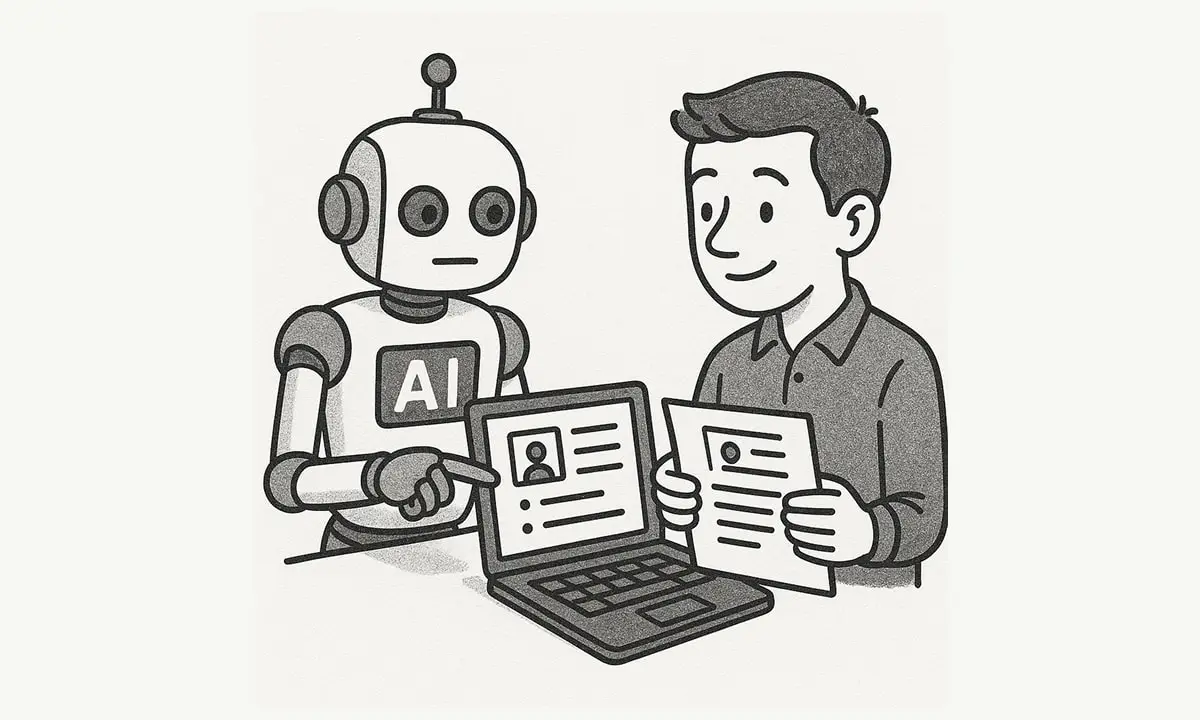
The useful question is no longer “Should I use AI in my job search?” It is “Which part of the search genuinely improves when I use it, and where must I stay in control?” A strong application still depends on real experience, a credible match, careful research, and a person who can defend every line of the résumé. AI can make that work faster and more structured; it cannot make an unsuitable role suitable or turn invented experience into evidence.
Use AI to reduce mechanical work, not to outsource judgment. The best output is a more truthful, specific, and well-prepared application—not a larger pile of generic ones.
This is an editorial selection of ten useful AI tools and workflows for 2026. It is not a universal ranking or a promise of interviews. Products, features, free limits, pricing, privacy terms, and regional availability can change. Jobicy operates tools 1, 2, and 10; they are included because they are free, task-specific tools available on the site.
Verification status: product, pricing/access, and privacy pages linked below were checked on August 16, 2026. Where a provider prices by country, promotional offer, institution, or account, this guide states the pricing model instead of presenting a number that may be wrong for the reader.
What AI is good for—and what it is not
| Job-search task | Where AI can help | Where you must take over |
|---|---|---|
| Understanding a job description | Extract recurring responsibilities, skills, business language, and open questions. | Decide whether the role fits your actual experience, eligibility, compensation needs, and career direction. |
| Tailoring a résumé | Suggest relevant language, reorder genuine evidence, identify missing context, and flag weak phrasing. | Confirm every claim, number, tool, credential, and date. Never add skills or results you do not have. |
| Writing a cover letter or outreach note | Create a first draft, improve clarity, and adapt length or tone. | Supply a real reason for contacting this person or company and remove empty flattery, errors, and invented research. |
| Company research | Summarize public materials, compare competitors, and generate questions. | Read the original source, check dates, separate facts from inference, and make your own decision. |
| Interview practice | Generate role-specific questions, run follow-ups, transcribe answers, and flag rambling or vague phrasing. | Build honest stories, develop listening skills, and practice with a human when feedback on judgment or presence matters. |
| Application management | Extract deadlines, summarize roles, draft follow-ups, and maintain a tracker. | Choose which roles deserve a tailored application, submit it, and protect your personal data. |
The OpenAI Academy guide for job-search support makes the essential point clearly: the model can produce a first pass, but the person remains responsible for deciding what is true, appropriate, and useful. That is the standard for every tool below.
1. Resume Score Analyzer: improve the master résumé before tailoring it
The free Jobicy Resume Score Analyzer reviews a résumé across five content dimensions: professionalism, impact, content flow, positioning, and ATS readiness. It accepts pasted text or a PDF and produces a prioritized action plan.
Use it before you create job-specific versions. A score can help you notice weak evidence, vague duties, missing context, inconsistent positioning, or a résumé that never explains its target role. The valuable part is the explanation behind the score, not the number itself.
Do not treat any résumé score as an employer’s score. A tool can assess clarity and alignment against rules it uses; it cannot know the hiring manager’s priorities, the applicant pool, internal referrals, headcount changes, or how an employer’s own system will rank candidates.
Best for: strengthening a baseline résumé, identifying the highest-impact edits, and checking whether accomplishments are presented as outcomes rather than job duties.
Do not use it for: deciding whether you are qualified or assuming a high score guarantees an interview.
2. Tailor Your Resume to Any Job – AI Resume Analyzer: compare real experience with a specific vacancy
The free Jobicy Resume Tailoring Tool compares your résumé with a pasted job description, surfaces matches and gaps, and creates a role-focused draft. It is useful when the title looks right but the employer emphasizes a different combination of responsibilities, seniority, industry knowledge, or tools than your standard résumé does.
A good tailoring pass usually changes selection and emphasis, not the facts. You may move a relevant achievement higher, replace a generic phrase with the employer’s standard terminology, or add honest context that was already missing. You should not manufacture a missing certification, tool, management scope, or metric because the job description mentions it.
| AI suggestion | Use it when | Reject or revise it when |
|---|---|---|
| Add a skill from the job description | You genuinely used it and can explain where, when, and how. | You only recognize the term, took one introductory course, or have not performed it. |
| Rewrite a bullet with a stronger verb | The rewrite preserves your responsibility and result. | It inflates “supported” into “led,” makes a team result sound individual, or invents an outcome. |
| Use a keyword from the job description | The term naturally describes real work in the relevant context. | It creates keyword stuffing or makes the sentence unclear to a human reader. |
| Shorten the résumé | The cut removes repetition, old unrelated work, or low-value detail. | It removes the evidence needed to understand your career transition or eligibility. |
Best for: a targeted application where you already meet a meaningful portion of the requirements.
Do not use it for: converting a clear mismatch into an application that looks plausible on paper but will fail in an interview.
3. ChatGPT: a general-purpose research, writing, and rehearsal partner
ChatGPT is most useful when you need to turn scattered information into a structured draft: a job-description breakdown, a set of résumé bullets based on real notes, a company-research brief, a mock interview, or a concise follow-up email. It is especially useful for career changers who need to translate experience from one industry into language another industry understands.
Use a simple prompt structure: Task + Context + Output. Give it your genuine notes, the relevant job description, and an explicit format. Ask for a factual draft, not an embellished one.
Example prompt: “Using only the experience below, identify the three strongest examples of customer-impact work for this customer success manager role. Draft four résumé bullets in plain English. Do not invent metrics, software, team size, or outcomes. Mark anything that needs my verification.”
Best for: decoding roles, reframing transferable skills, writing first drafts, preparing questions, and practicing answers.
Do not use it for: submitting unreviewed text, generating fake references or achievements, making legal or immigration decisions, or processing confidential employer information without permission.
4. Teal: an all-in-one résumé and application-tracking workspace
Teal’s AI Resume Builder combines résumé versions, job-description matching, content suggestions, and an application tracker. Its official materials describe importing an existing résumé or LinkedIn content, creating multiple versions, comparing them with a job description, and tracking applications and follow-ups.
It is most useful for candidates applying to several related roles over weeks or months. Instead of saving files named “resume-final-final-2,” maintain one source of truth for your experience and create purposeful versions for, for example, customer success, account management, and implementation roles.
Best for: version control, a repeatable application process, and candidates who need more structure than a spreadsheet provides.
Watch for: vendor claims such as “more interviews” or “faster hiring.” These are marketing claims, not outcomes a tool can promise you.
5. Jobscan: an ATS and keyword comparison tool
Jobscan’s Resume Scanner compares a résumé with a job description and highlights potential keyword, skills, and formatting gaps. Its own documentation notes an important limitation: the displayed match rate is a visualization tool for strengthening an application before submission, not the employer’s actual ATS score.
This distinction matters. Employers use different systems and configure them differently; some screen heavily for required qualifications, some have recruiter review early, and others focus on a narrow set of deal-breakers. A job-search tool can help you make your relevant evidence easier to find. It cannot reveal or guarantee an employer’s ranking logic.
Best for: checking that a résumé uses clear, standard language for skills you truly possess and that important requirements were not accidentally omitted.
Do not use it for: chasing a perfect score, copying a job description into your résumé, or assuming that a keyword is evidence of competence.
6. LinkedIn AI-powered job search: search by intent, not only exact titles
LinkedIn’s AI-powered job search lets members describe the kind of role they want in natural language and matches that intent against job descriptions. LinkedIn says availability is being rolled out gradually, so not every account or region will have it.
Use a detailed request rather than a broad phrase such as “remote jobs.” Include a title, work location, experience level, specialty, transferable background, and employment type. For example: “Remote customer success manager roles in B2B SaaS, serving mid-market accounts, open to candidates with implementation experience.” Review the results manually; natural-language search can broaden discovery, but it cannot determine whether the employer can hire in your country or whether the role is actually a fit.
Best for: discovering adjacent titles and finding jobs when your career path does not map neatly to one conventional keyword.
Watch for: location restrictions, old listings, promoted posts, and feature availability. Always read the original vacancy before applying.
7. Yoodli: practice delivery, concise answers, and follow-up questions
Yoodli provides AI roleplay for interview practice. Its interview mode can ask preset and dynamic follow-up questions, giving candidates a way to rehearse a conversation rather than memorizing a list of isolated answers.
Use it to identify answers that take too long, have no clear result, avoid the question, or collapse under a follow-up. Practicing with uncertainty is useful: real interviewers often ask “What did you personally do?”, “Why did you choose that?”, or “What would you change?”
Best for: behavioral interviews, career transitions, English-language delivery practice, and people who need low-pressure repetition before meeting a recruiter.
Do not overinterpret: automated feedback about speech patterns, facial expression, eye contact, or personality. Culture, disability, communication style, and interview format all matter; use the feedback to improve clarity, not to imitate a single “ideal” candidate.
8. Big Interview: structured interview training and simulations
Big Interview combines interview lessons, practice sets, a simulator, and AI feedback. Its newer PracticeAI materials describe tailored questions and follow-ups based on the job description, résumé, and flow of the conversation.
It is a good choice when you want a more guided practice environment rather than a blank chat window. Use the feedback to improve answer structure: lead with the decision or result, provide enough context, make your contribution explicit, and finish with a lesson or next step when appropriate.
Best for: candidates who want a curriculum as well as mock-interview practice, including behavioral, role-specific, and asynchronous video preparation.
Do not use it for: memorizing model answers word for word. An interviewer will notice when an answer has no natural detail or cannot survive follow-up questions.
9. VMock: career-center-style résumé, profile, and pitch feedback
VMock is commonly provided through universities, business schools, and career centers. Its platform focuses on feedback for résumés, LinkedIn profiles, and elevator pitches, which makes it particularly useful for students and recent graduates who may already have institutional access.
Check your school’s career office before paying for another tool. Institutional access may include guidance calibrated to the local recruiting process, but an automated critique is still a draft-review system rather than a substitute for an adviser who understands your field, work authorization, portfolio, or career pivot.
Best for: students, alumni, and career-center users who want fast feedback across a résumé, profile, and introduction.
Watch for: feedback that favors a generic template over the specific evidence needed for a creative, technical, academic, executive, or non-U.S. CV.
10. Jobicy Mock Interview Practice: role-specific rehearsal from a job description
The free Jobicy Mock Interview Practice starts from a pasted job description, asks role-relevant questions one by one, and lets you save the transcript after the session. The tool is designed as a text-based practice conversation, making it useful for preparing story structure, anticipating follow-ups, and reviewing the clarity of your answers.
Run the same interview twice. On the first attempt, answer naturally. On the second, correct only the biggest gaps: unclear result, missing personal contribution, too much background, weak evidence, or no connection to the target role. This prevents you from polishing every sentence while ignoring the real problem.
Best for: free, low-pressure practice before a screening call; candidates who want to save and compare their answers.
Pair it with: a voice recording or a human mock interview if you also need to work on pacing, vocal delivery, or presenting a case study.
Pricing, limitations, privacy, and alternatives: verified snapshot
Use this as a short due-diligence check before you upload a résumé, job description, interview recording, or application history. “Free” does not mean unlimited, and a paid plan is worthwhile only when it resolves a specific bottleneck in your search.
| Tool | Access and price snapshot | Key limitation and privacy check | Alternatives |
|---|---|---|---|
| Jobicy Resume Score Analyzer Official tool page | Free; the tool page states that no payment is required. | It processes résumé text or a PDF and evaluates content rather than visual design. Its score is guidance, not an employer decision. Review Jobicy’s privacy policy. | VMock through a school or Teal’s basic analysis. |
| Jobicy Resume Tailoring Tool Official tool page | Free; the tool page states that no payment is required. | You provide both your résumé and a job description, so remove confidential information. Verify every rewrite; tailoring cannot supply missing experience. See privacy policy. | Teal Job Matching or Jobscan. |
| ChatGPT Official pricing | Free tier available; paid individual tiers include Go, Plus, and Pro. The free plan has limits on uploads, voice, and research features. | On individual plans, OpenAI’s pricing page says model-training opt-out is available. Review the privacy policy and do not paste confidential client or employer material. | Gemini or Claude for general drafting; a human coach for final career judgment. |
| Teal Official pricing | Free plan available. The checked Teal+ page showed $13 per week, $29 per 30 days, or $79 per 90 days, with premium limits removed for selected features. | Free usage limits include keyword matching, analysis, templates, and AI credits. It can hold résumé versions and application records; read the privacy policy before importing a full career history. | A spreadsheet, Jobicy tailoring, or Jobscan if tracking is not your bottleneck. |
| Jobscan Official scanner page | Free scans are available; paid upgrades add more scans and AI features. Confirm the current price in the signed-in plan page, because the public page does not consistently display a universal price. | Its match rate is not an employer’s actual ATS score. Uploads include résumé and job-description data; review privacy policy. | Jobicy Resume Tailoring Tool or Teal Job Matching. |
| LinkedIn AI-powered job search Official feature page | LinkedIn membership is free; Premium products and trials are priced by country, currency, and offer. The AI job-search feature itself is being released gradually. | Results can use profile and search-activity data for personalization. Read LinkedIn’s privacy policy and check location, work authorization, posting age, and employer identity yourself. | Jobicy search, company careers pages, specialist job boards, and referrals. |
| Yoodli Official pricing | Starter includes five lifetime sessions. The checked page listed Pro at $8/month billed annually for up to 10 roleplays per week and Advanced at $20/month billed annually for unlimited roleplays. | Yoodli states that Starter and Pro session data may be used to improve the platform, while Advanced, Team, and Enterprise exclude roleplay data from AI training by default. Read the privacy policy before recording. | Big Interview or Jobicy Mock Interview Practice. |
| Big Interview Official pricing | The checked personal-pricing page listed $39 for a 30-day Interview BootCamp subscription, $99 for three months of Interview Accelerator, and $299 for lifetime Interview Pro access. | Subscriptions are a meaningful cost for short searches. The service may handle answers, recordings, and application materials; review its privacy policy before using video features. | Yoodli, Jobicy Mock Interview Practice, or a school career center. |
| VMock Official site | Often licensed by universities and career centers; public consumer pricing was not displayed on the checked site. Ask your school or alumni office before paying for another résumé tool. | The platform can process résumé, profile, and elevator-pitch information. Access and data handling may involve both VMock and your institution; review VMock’s privacy notice and school terms. | Jobicy Resume Score Analyzer, Teal, or an appointment with a career adviser. |
| Jobicy Mock Interview Practice Official tool page | Free; the tool page states that no payment or sign-up is required. | It is text-based, so it cannot assess spoken delivery or presentation. Sessions begin with a job description and transcripts can be saved; review privacy policy and avoid confidential prompts. | Yoodli, Big Interview, or a live peer mock interview. |
Pricing and privacy terms can change after publication. Follow the linked official pages before subscribing, uploading sensitive material, or assuming a free tier includes a particular feature.
You do not need all ten tools
Adding more subscriptions often adds more drafts, tabs, scores, and anxiety. Pick a small stack that solves the bottleneck in your search.
| If your bottleneck is… | Start with | Then add |
|---|---|---|
| I do not know how to describe my experience. | ChatGPT + Jobicy Resume Score Analyzer | One human review from a mentor, recruiter, or career adviser. |
| I apply to related roles but my résumé feels generic. | Jobicy Resume Tailoring Tool or Teal | Jobscan for a second comparison—not a second source of truth. |
| I lose track of applications and follow-ups. | Teal or a simple spreadsheet | A calendar reminder and a weekly review; do not add a more complex tool unless you will maintain it. |
| I get interviews but do not communicate my impact well. | Jobicy Mock Interview Practice, Yoodli, or Big Interview | A live mock interview with someone who knows the role. |
| I cannot find roles with my exact title. | LinkedIn AI-powered job search | Direct company career pages, professional groups, alumni, and job alerts. |
| My university offers career technology. | VMock and your career center | Only the additional tool that fills a real gap. |
A 30-minute AI-assisted application workflow
- Read the role before opening a tool. Check location, work authorization, seniority, required qualifications, compensation if listed, and application deadline. Do not use AI to talk yourself into a role that is clearly ineligible or unsuitable.
- Extract the evidence requirement. Ask an assistant to list the five most important responsibilities and qualifications, then compare them with your own experience. Mark “strong match,” “partial match,” and “gap.”
- Choose the honest version of your résumé. Start from the closest existing version. Keep the most relevant proof points and remove repetition or low-value detail.
- Tailor, then verify. Use a matching or rewriting tool to propose edits. Check every new phrase against your work history. Replace vague AI wording with precise actions, scale, and results.
- Write only what the employer needs. If a cover letter, short answer, or outreach note is required, use a first draft but add a specific reason you are interested and a credible proof point. If it is not required, do not generate one merely because AI makes it easy.
- Run a human-readability pass. Read the résumé aloud. Does it say what you did, for whom, under what constraint, and what changed? Can you defend every statement in an interview?
- Track and follow up. Record the role, URL, date, version sent, contact, deadline, and next action. Set a follow-up reminder only when it is appropriate.
Quality-control question: “If a hiring manager asks me to explain this sentence for two minutes, can I give a specific, truthful answer without looking at my notes?” If not, rewrite it or remove it.
AI boundaries: privacy, honesty, accessibility, and employer rules
Before uploading a résumé, job description, work sample, or interview recording, read the tool’s privacy terms and use only material you are allowed to share. Remove client names, internal financial data, source code, personal addresses, identification numbers, and confidential hiring materials unless you have a clear right to disclose them. Do not paste an employer’s live assessment, interview questions marked confidential, or any material that violates the employer’s rules.
Some employers explicitly limit AI use. For example, the U.S. National Institute of Standards and Technology’s current applicant guidance says not to use AI-generated, plagiarized, or recycled content. That is NIST’s policy, not a universal rule, but it illustrates why you must read the instructions for each employer and assessment.
Automated systems are also part of hiring itself. The EEOC’s resources on AI and the ADA explain that AI and algorithms can be used to assess applicants and may affect people with disabilities. If you need an accommodation in the U.S. hiring process, contact the employer or recruiter early; rights and procedures vary by jurisdiction and individual situation.
Finally, do not let AI speed up a scam. The U.S. Federal Trade Commission’s job-scam guidance warns that fraudulent recruiters use job boards, social platforms, and realistic-looking messages to obtain money or personal information. Verify every opening on the employer’s official careers site, never pay for a promised job, and do not send banking or identity documents before you have confirmed the employer and reached an appropriate hiring stage.
What to avoid in 2026
- One-click mass applications. Automation can help organize leads, but sending the same weak material at scale can damage your reputation and waste opportunities.
- Keyword stuffing. Repeat important terminology only where it truthfully describes your experience. Recruiters still read for relevance and coherence.
- Invented achievements. A fictional metric, project, skill, certification, degree, or reference may be discovered in an interview, a work sample, a background check, or on the job.
- Live interview answer tools. Using hidden assistance during an interview or assessment can breach the employer’s rules and prevents the employer from evaluating your real capability.
- Personality-profiling strangers. Do not base outreach or interview behavior on unverified predictions about an individual’s personality. Learn about the role, listen carefully, and communicate professionally.
- Paying for every score. A score is useful only if it identifies a specific, verifiable improvement. Build a small, repeatable system rather than buying overlapping subscriptions.
How to judge any new AI job-search tool
| Question to ask | A useful answer looks like |
|---|---|
| What exact task does it improve? | “It compares a job description with my résumé and highlights missing evidence,” not “It gets you hired.” |
| Can I inspect and edit the output? | Yes. You can see the wording, reject it, and preserve your own source material. |
| Does it explain the limitation of its score or recommendation? | It says that its analysis is guidance rather than the employer’s actual decision. |
| What information will I upload? | Only data you are permitted to share, after reviewing privacy, retention, and deletion options. |
| Would I still use it if its output were imperfect? | Yes, because it saves a defined amount of work or provides feedback you can evaluate—not because it promises a shortcut. |
| Does it comply with this employer’s rules? | You have checked the vacancy, assessment, and interview instructions and know when AI is allowed, limited, or prohibited. |
Official resources and product pages
- OpenAI Academy: Helping Job Seekers with ChatGPT — practical job-search use cases and a human-in-control approach.
- Jobicy Resume Score Analyzer, Resume Tailoring Tool, and Mock Interview Practice — free Jobicy tools featured in this article.
- Teal AI Resume Builder and Teal Job Application Tracker — résumé versions, matching, and tracking.
- Jobscan Resume Scanner — job-description comparison and ATS-oriented checks.
- LinkedIn: AI-powered job search — natural-language job discovery and current availability notes.
- Yoodli Interview Preparation and Big Interview Simulator — interview-practice platforms.
- VMock — résumé, profile, and elevator-pitch feedback, often available through career centers.
- EEOC: Artificial Intelligence and the ADA, NIST applicant guidance, and FTC job-scam guidance — employment-AI, application, and safety resources.
Career and tool disclaimer: This article is general educational information, not a guarantee of interviews, offers, salary, work authorization, or career outcomes. AI output can be incomplete, incorrect, biased, stale, or inconsistent with an employer’s policy. You are responsible for the truth of your application, the security of information you upload, compliance with employer instructions, and decisions about your career. Verify current product terms, availability, privacy practices, and job requirements directly with the relevant provider or employer.
 About the author Victoire Boucher
Career coach focused on helping women navigate the tech industry. I’ve worked in product and engineering roles before shifting to coaching full-time. Now I write about imposter syndrome, salary negotiation, and how to grow without burning out.